Release notes

2026.38.5.5

Tracker observationsFSD 14.3.12Tracker date · 21 October 2026

What changed

Release 2026.38.5.5, dated October 21, 2026, adds FSD (Supervised) v14.3.12 Down Under, seven new features, and five undocumented changes. The Not a Tesla App index labels the FSD release Oceania; exact countries are not specified. Availability depends on the model, hardware, and individual feature.

FSD (Supervised) v14.3.12 Down Under
FSD (Supervised) v14.3.12 Down Under ↗
Sources and distribution
Tracker date21 October 2026
Notes13
Software branch2026.38
Firmware installations observed: 2

Australia, New Zealand

Installation countries do not establish FSD or individual feature availability.

Not a Tesla App ↗ · Checked 17 November 2026
FSD availability
FSD version
14.3.12
Hardware
HW4
Models
New S, 3, New X, Y
Countries
Australia, New Zealand

Feature country labels from Not a Tesla App ↗ · Checked 17 November 2026. Check the notes in your vehicle for your configuration.

MY TESLA · Choose a vehicle

This estimate compares the release note with the vehicle details you entered. It does not confirm that this update will be offered to your car.

MY TESLA

Find notes for your vehicle

Your details stay in this browser. No Tesla account is needed.

Loading profile…

This filter estimates compatibility from catalogue notes and cannot guarantee availability. Check the release notes in your car; model year, equipment and country can affect a feature.

Highlights

Highlights

Selected feature notes
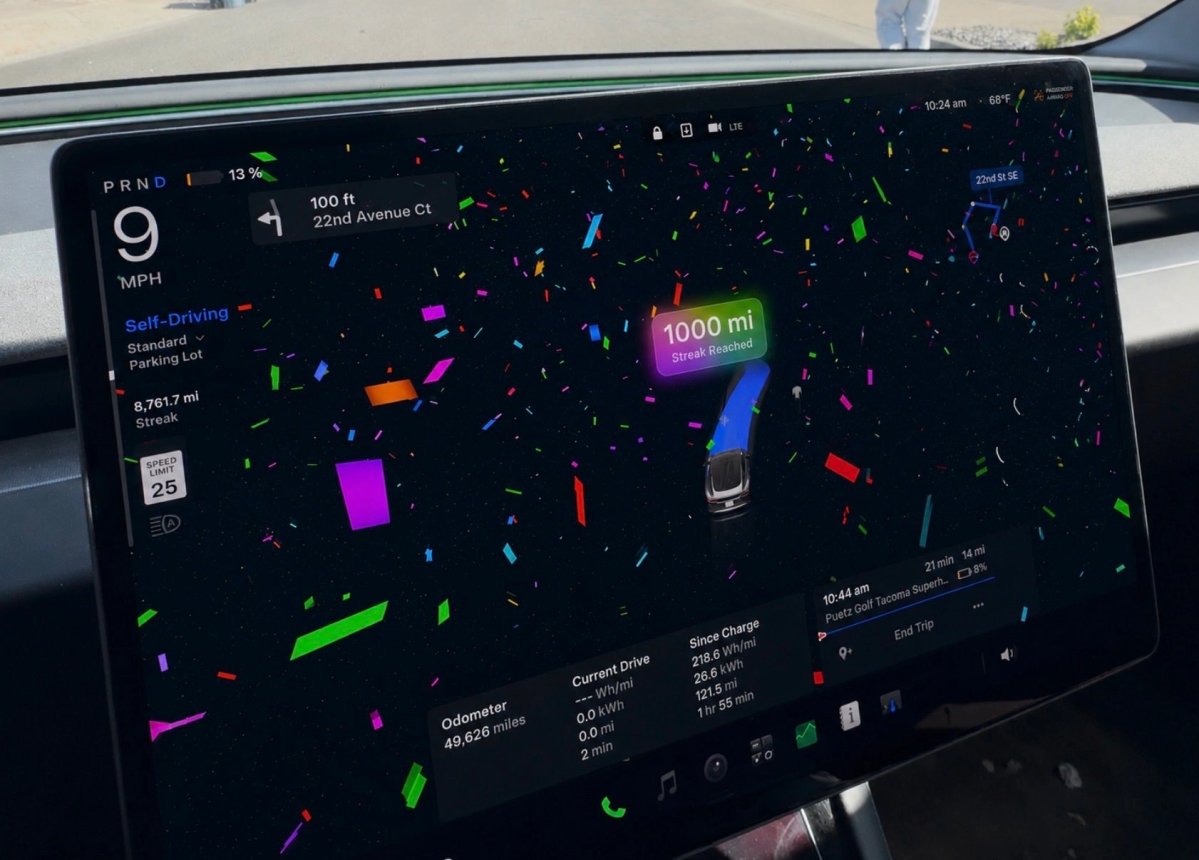
FSD (Supervised) v14.3.12 Down UnderReinforcement-learning training and the vision encoder improve broad driving scenarios, rare and low-visibility conditions, 3D geometry understanding, and traffic-sign recognition. The AI compiler and runtime were rewritten using MLIR; notes claim 20% faster reaction time and faster model iteration. Unnecessary lane bias and minor tailgating are reduced; parking selection and maneuvers, parking-pin prediction (P on the map), and responses to emergency vehicles, school buses, right-of-way violators, and rare vehicles are improved. Handling improves for small animals, complex traffic lights, unusual objects extending into the path, and temporary system degradations, with automatic recovery. Driver monitoring improves for gaze, eyewear, and variable lighting. Drivers can select an intervention reason after taking over; the app shows distance without intervention and the longest such streak; parking options appear on the arrival map. Upcoming improvements listed are extending reasoning to all behaviors and adding pothole avoidance.Arrival OptionsRobotaxi-style drop-off choices include Carpark, Indoor Carpark, Street, Driveway, and Pull Over. Arrival and preferred-parking choices are saved for each destination. The system selects a suitable default, and the navigation pin adjusts to the selected option.Speed ProfilesFSD (Supervised) selects speed using the driver profile, speed limit, and traffic. The profile has more influence, and a more assertive profile allows a higher maximum speed. The right scroll wheel now changes Speed Profile instead of the precise maximum-speed offset in mph or km/h. New profiles are SLOTH (slower and more conservative lane selection than CHILL) and MAD MAX (faster than HURRY).UI ImprovementsSelf-Driving statistics are available under Controls > Self-Driving. Start Self-Driving with a screen tap from Park or during a drive. Adjust Speed Profile and Arrival Options directly from the Self-Driving visualization on the center display.

Features and changes

Release notes language

FSD

FSD (Supervised) v14.3.12 Down Under

First noted in this release

Reinforcement-learning training and the vision encoder improve broad driving scenarios, rare and low-visibility conditions, 3D geometry understanding, and traffic-sign recognition. The AI compiler and runtime were rewritten using MLIR; notes claim 20% faster reaction time and faster model iteration. Unnecessary lane bias and minor tailgating are reduced; parking selection and maneuvers, parking-pin prediction (P on the map), and responses to emergency vehicles, school buses, right-of-way violators, and rare vehicles are improved. Handling improves for small animals, complex traffic lights, unusual objects extending into the path, and temporary system degradations, with automatic recovery. Driver monitoring improves for gaze, eyewear, and variable lighting. Drivers can select an intervention reason after taking over; the app shows distance without intervention and the longest such streak; parking options appear on the arrival map. Upcoming improvements listed are extending reasoning to all behaviors and adding pothole avoidance.

Applicability

Models
New S, 3, New X, Y
Hardware
HW4
Availability note in release note
Source country labels

Australia, New Zealand

Not a Tesla App ↗ · Checked 17 November 2026

FSD Streaks

Tracker observationFirst noted in this release

Not a Tesla App reports FSD Streaks support for legacy Model S and Model X with Intel and HW3. The source marks this change as undocumented.

Applicability

Models
Legacy S, Legacy X
Hardware
Intel, HW3
Availability note in release note

Region not specified

Navigation

Arrival Options

First noted in this release

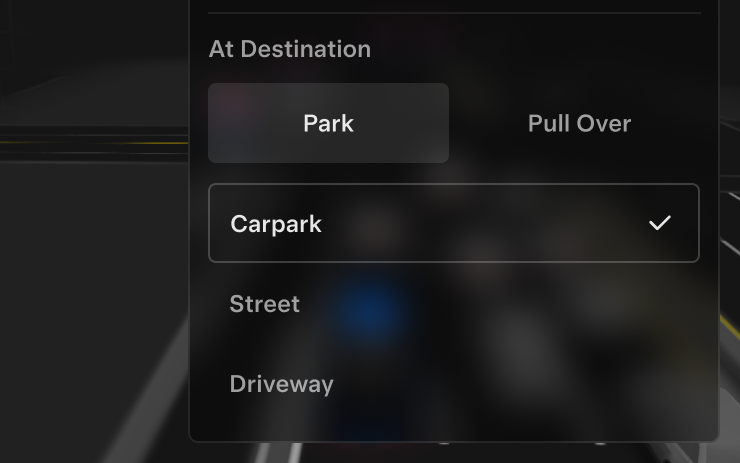
Robotaxi-style drop-off choices include Carpark, Indoor Carpark, Street, Driveway, and Pull Over. Arrival and preferred-parking choices are saved for each destination. The system selects a suitable default, and the navigation pin adjusts to the selected option.

Applicability

Models
New S, 3, New X, Y
Hardware
HW4
Availability note in release note
Source country labels

Australia, New Zealand

Not a Tesla App ↗ · Checked 17 November 2026

Set Arrival Energy

First noted in this release

Set desired arrival energy in the Tesla app: open the location tab, enter a destination, and select Set Arrival Energy. Requires Tesla Mobile App 4.58.0 or later.

Applicability

Models
S, 3, X, Y, CT
Hardware
Not specified
Availability note in release note
Source country labels

Worldwide

Not a Tesla App ↗ · Checked 17 November 2026

Other

Speed Profiles

First noted in this release

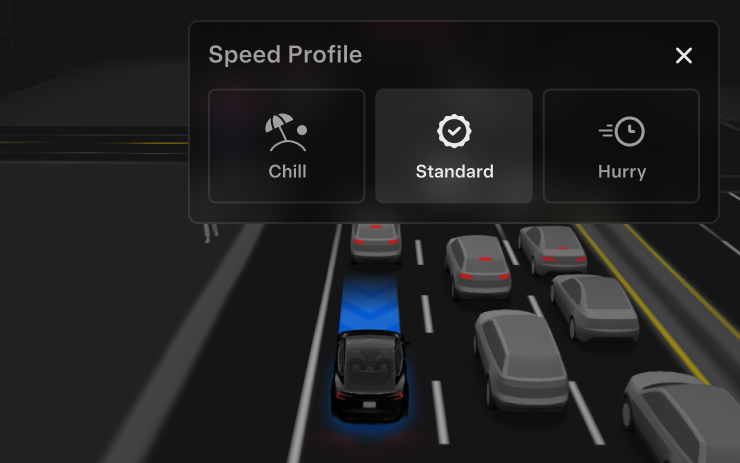
FSD (Supervised) selects speed using the driver profile, speed limit, and traffic. The profile has more influence, and a more assertive profile allows a higher maximum speed. The right scroll wheel now changes Speed Profile instead of the precise maximum-speed offset in mph or km/h. New profiles are SLOTH (slower and more conservative lane selection than CHILL) and MAD MAX (faster than HURRY).

Applicability

Models
New S, 3, New X, Y
Hardware
HW4
Availability note in release note
Source country labels

Australia, New Zealand

Not a Tesla App ↗ · Checked 17 November 2026

UI Improvements

First noted in this release

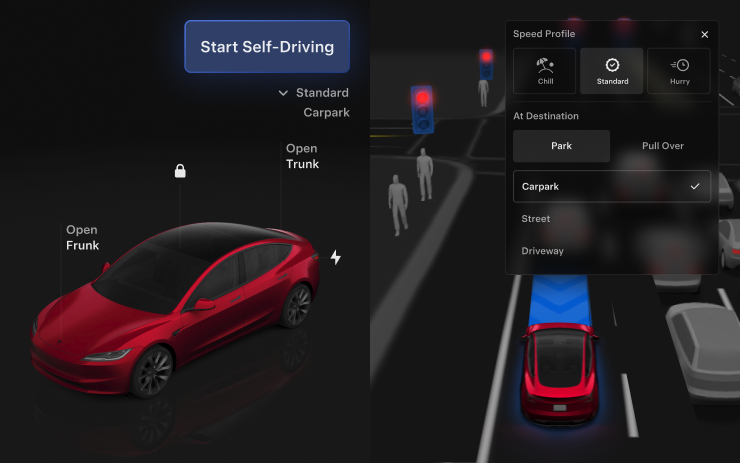
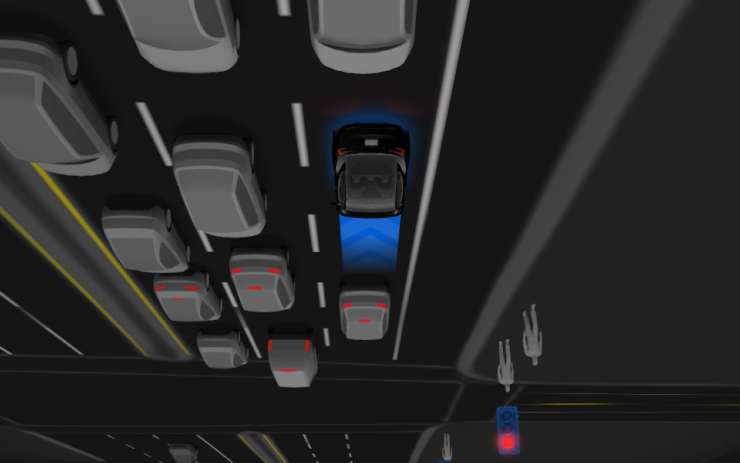
Self-Driving statistics are available under Controls > Self-Driving. Start Self-Driving with a screen tap from Park or during a drive. Adjust Speed Profile and Arrival Options directly from the Self-Driving visualization on the center display.

Applicability

Models
New S, 3, New X, Y
Hardware
HW4
Availability note in release note
Source country labels

Australia, New Zealand

Not a Tesla App ↗ · Checked 17 November 2026

Brake Confirm

First noted in this release

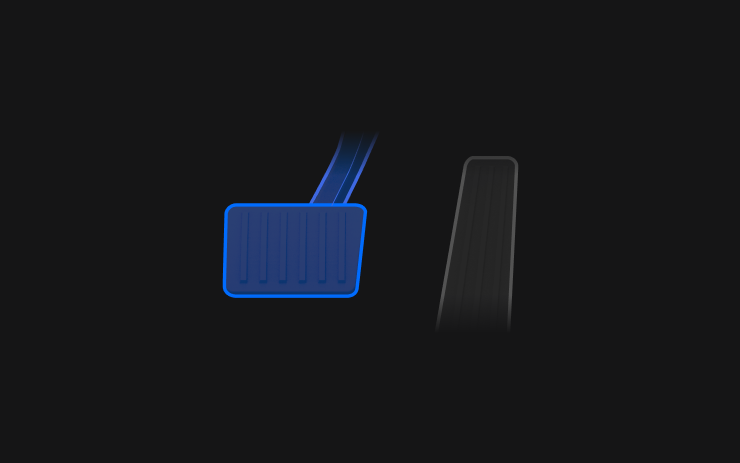
Brake Confirm for Start Self-Driving is off by default. When disabled, activation does not require pressing and releasing the brake. Enable it under Self-Driving > Brake Confirm.

Applicability

Models
New S, 3, New X, Y
Hardware
HW4
Availability note in release note
Source country labels

Australia, New Zealand

Not a Tesla App ↗ · Checked 17 November 2026

Interface

Halloween Mode

First noted in this release

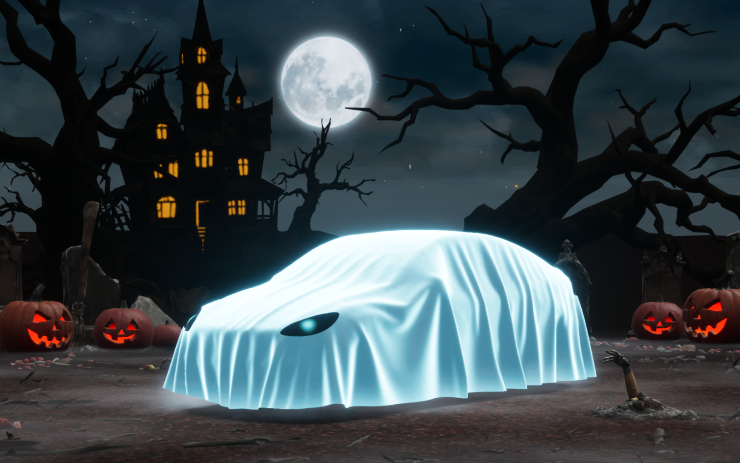
The vehicle visualization gets a Ghost Costume. Trick or Treat Mode plays themed sounds and flashes lights when visitors approach; a scheduled themed light show and Photobooth are also available. Requires AMD.

Applicability

Models
New S, 3, New X, Y, CT
Hardware
AMD
Availability note in release note
Source country labels

Worldwide

Not a Tesla App ↗ · Checked 17 November 2026

Halloween Mode Wraps & License Plates for Intel

Tracker observationFirst noted in this release

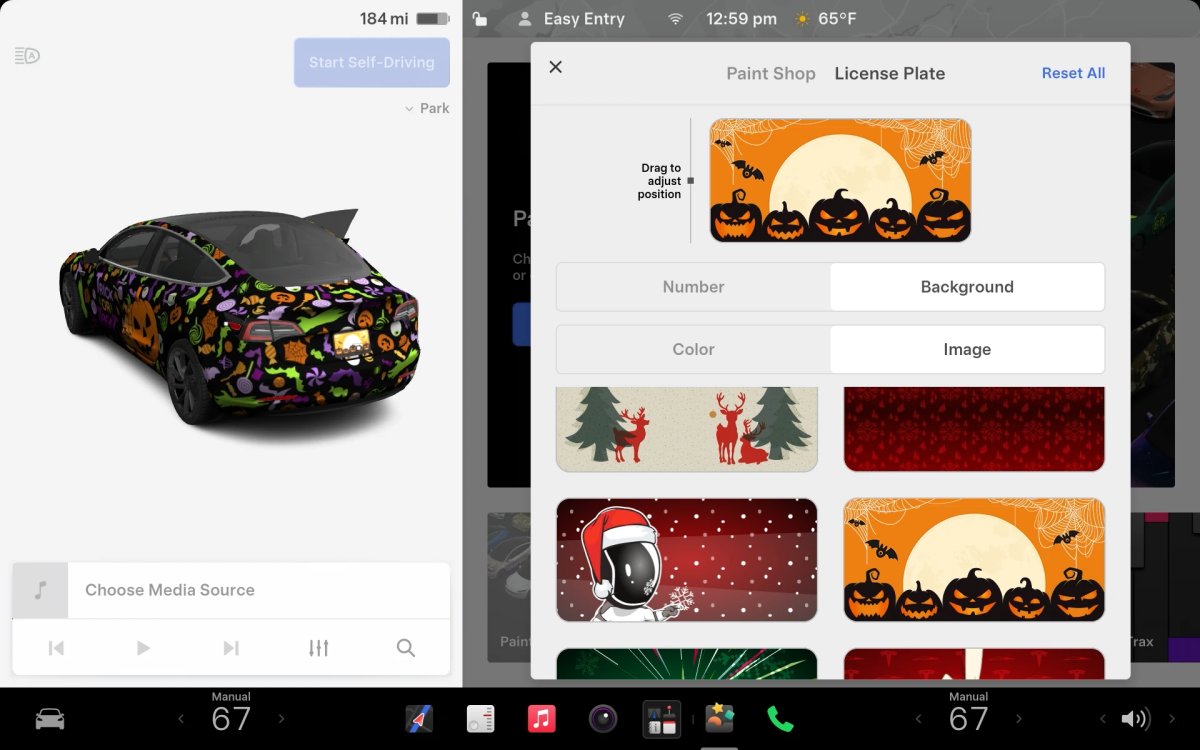
Full Halloween Mode is not available on Intel vehicles, but they still receive the same Halloween Mode wraps and license plates as AMD vehicles. The source marks this change as undocumented.

Applicability

Models
S, 3, X, Y, CT
Hardware
Intel
Availability note in release note
Source country labels

Worldwide

Not a Tesla App ↗ · Checked 17 November 2026

Safety

Security Improvements

First noted in this release

This update includes important security fixes and improvements.

Applicability

Models
S, 3, X, Y, CT
Hardware
Not specified
Availability note in release note
Source country labels

Worldwide

Not a Tesla App ↗ · Checked 17 November 2026

Vehicle

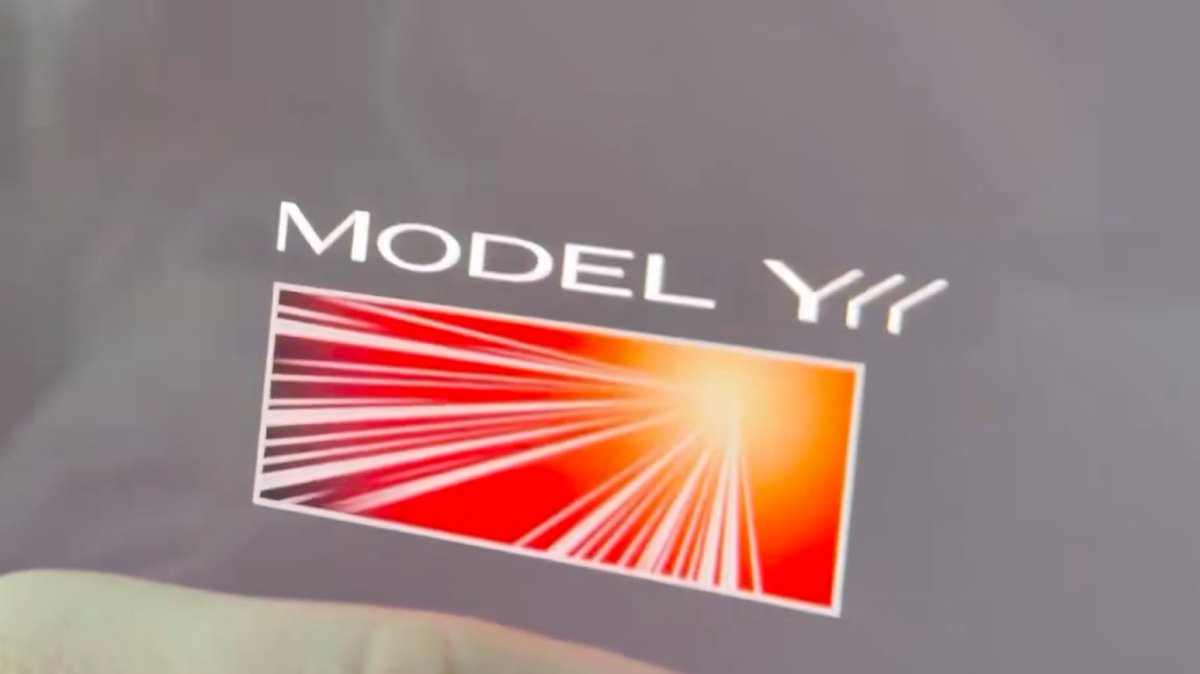
Model Y L Badge Animation

Tracker observationFirst noted in this release

The Model Y L Launch Series badge now animates when tapped. The source marks this change as undocumented.

Applicability

Models
New Y
Hardware
Not specified
Availability note in release note
Source country labels

Worldwide

Not a Tesla App ↗ · Checked 17 November 2026

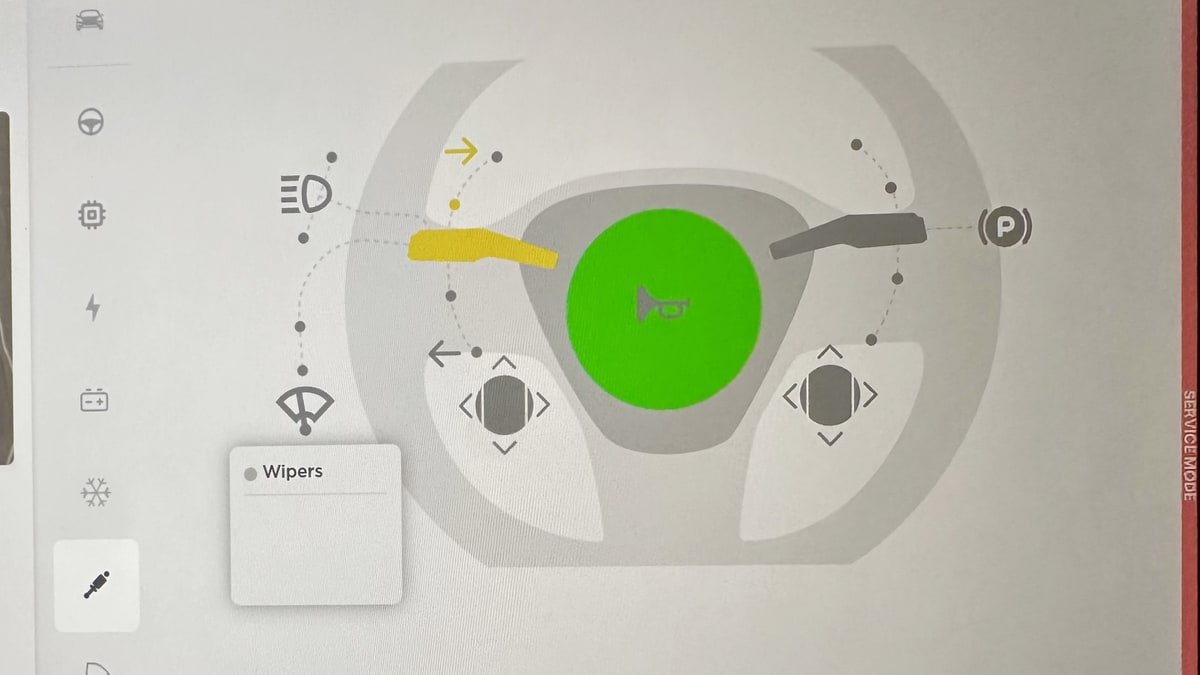
Service Mode Improvements

Tracker observationFirst noted in this release

In Service Mode, the vehicle's original language is saved. If the screen language differs from the default for the vehicle's current country, an English Change Touchscreen Language button appears at the top of the Service panel to select a language. The original language is restored on exit. Changing the touchscreen language restarts the UI. In the High Voltage panel, tapping an isolation health dot opens a popup with current resistance; when unhealthy, it also shows isolation alerts and DTCs. The source marks both changes as undocumented.

Applicability

Models
S, 3, X, Y, CT
Hardware
Not specified
Availability note in release note
Source country labels

Worldwide

Not a Tesla App ↗ · Checked 17 November 2026

Media

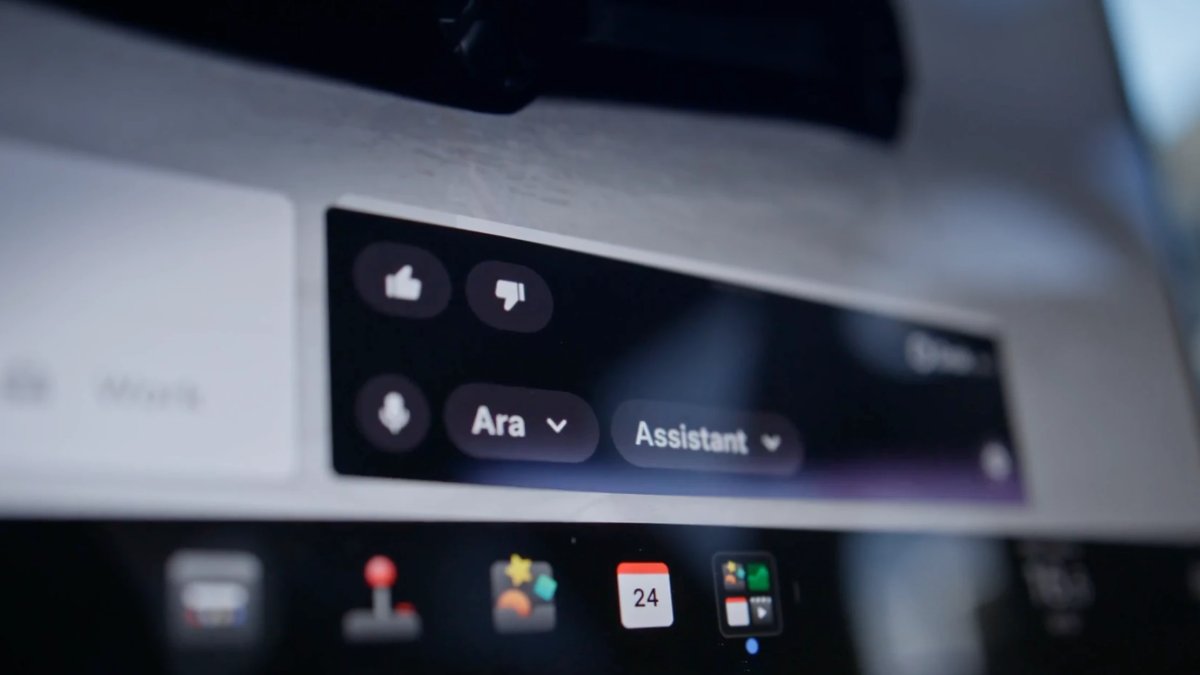
Grok No Longer in Beta

Tracker observationFirst noted in this release

Not a Tesla App reports that Tesla removed Grok's beta label in this version. The source marks this change as undocumented.

Applicability

Models
S, 3, X, Y, CT
Hardware
Not specified
Availability note in release note
Source country labels

Worldwide

Not a Tesla App ↗ · Checked 17 November 2026

Last checked

Checked 2 November 2026. TeslaFi figures are a saved tracker sample, not a measure of the whole fleet. Check feature availability in your car’s own release notes.
Tesla: how software updates work ↗
0 / 13