RELEASE NOTES

2025.26

New featuresRegion: Depends on the feature

Adds Grok, in-cabin child detection, lighting synchronisation and changes to Dashcam, charging sites, audio and service diagnostics.

Your region is remembered for both language versions of the software catalogue. Unknown applicability remains visible and clearly marked.

Compare 2025.26 with my version →

Tracker date12 July 2025
Notes14
Software branch2025.26

Highlights

Selected feature notes
Grok (Beta)The xAI assistant starts from the app menu or with a long press of a voice button and offers different voices and communication styles. You need Premium Connectivity or Wi-Fi; you don’t need Tesla to talk to the car. Grok does not yet manage the functions of the car.Child Left Alone DetectionIf the system detects an unattended child, the car turns on external signs, sounds and sends notifications to the app regularly before the owner returns. Salon data is processed locally; the function is enabled by default.Light SyncThe contour lighting reacts to music and lighting, and its color can be associated with the album cover. In the parking lot, Rave Cave mode includes maximum brightness: App Launcher → Toybox → Light Sync.Dashcam UpdateIn the Dashcam application, you can adjust the playback speed and choose between filling the screen and the original video size. View is available in the parking lot.

Features and changes

In English

Media

Grok (Beta)

Grok (Beta)
Models

Model S (new), Model 3, Model X (new), Model Y, Cybertruck

Hardware

AMD Ryzen

The xAI assistant starts from the app menu or with a long press of a voice button and offers different voices and communication styles. You need Premium Connectivity or Wi-Fi; you don’t need Tesla to talk to the car. Grok does not yet manage the functions of the car.

Region and availability

Region not confirmed
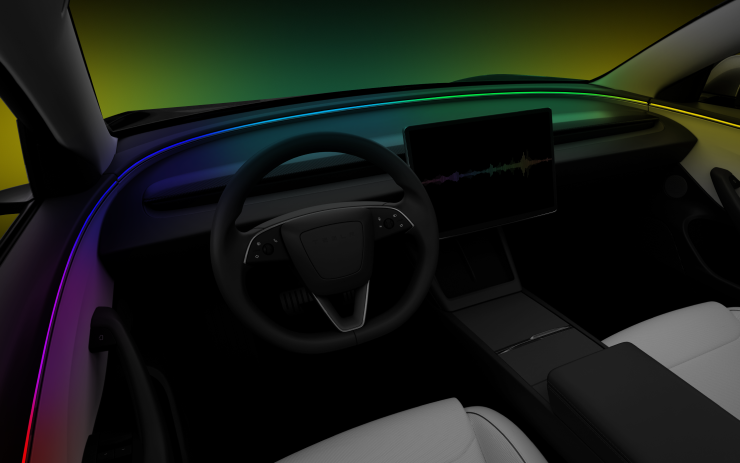
Light Sync

Light Sync
Models

Model S (new), Model 3 (new), Model X (new), Model Y (new), Cybertruck

Hardware

Contour lighting

The contour lighting reacts to music and lighting, and its color can be associated with the album cover. In the parking lot, Rave Cave mode includes maximum brightness: App Launcher → Toybox → Light Sync.

Region and availability

Worldwide

Other

Child Left Alone Detection

Child Left Alone Detection
Models

Model 3 (new)

Hardware

Not specified.

If the system detects an unattended child, the car turns on external signs, sounds and sends notifications to the app regularly before the owner returns. Salon data is processed locally; the function is enabled by default.

Region and availability

Region not confirmed

Dashcam Update

Dashcam Update
Models

Model S (new), Model 3, Model X (new), Model Y, Cybertruck

Hardware

AMD Ryzen

In the Dashcam application, you can adjust the playback speed and choose between filling the screen and the original video size. View is available in the parking lot.

Region and availability

Worldwide

Audio Settings Update

Audio Settings Update
Models

Model S, Model 3, Model X, Model Y, Cybertruck

Hardware

Not specified.

You can create and save several personal equalizer presets. Settings are moved to Controls → Audio and are available via Controls search.

Region and availability

Worldwide

Onboarding Guide

Onboarding Guide
Models

Model 3 (new), Model Y (new)

Hardware

Not specified.

The interactive guide introduces the driver's settings, touch screen, lights, wipers and Autopilot control from the steering wheel. Track: Controls → Service → Onboarding Guide.

Region and availability

Worldwide

New Lock Alert

Tracker observation
New Lock Alert
Models

Model S, Model 3, Model X, Model Y

Hardware

Not documented.

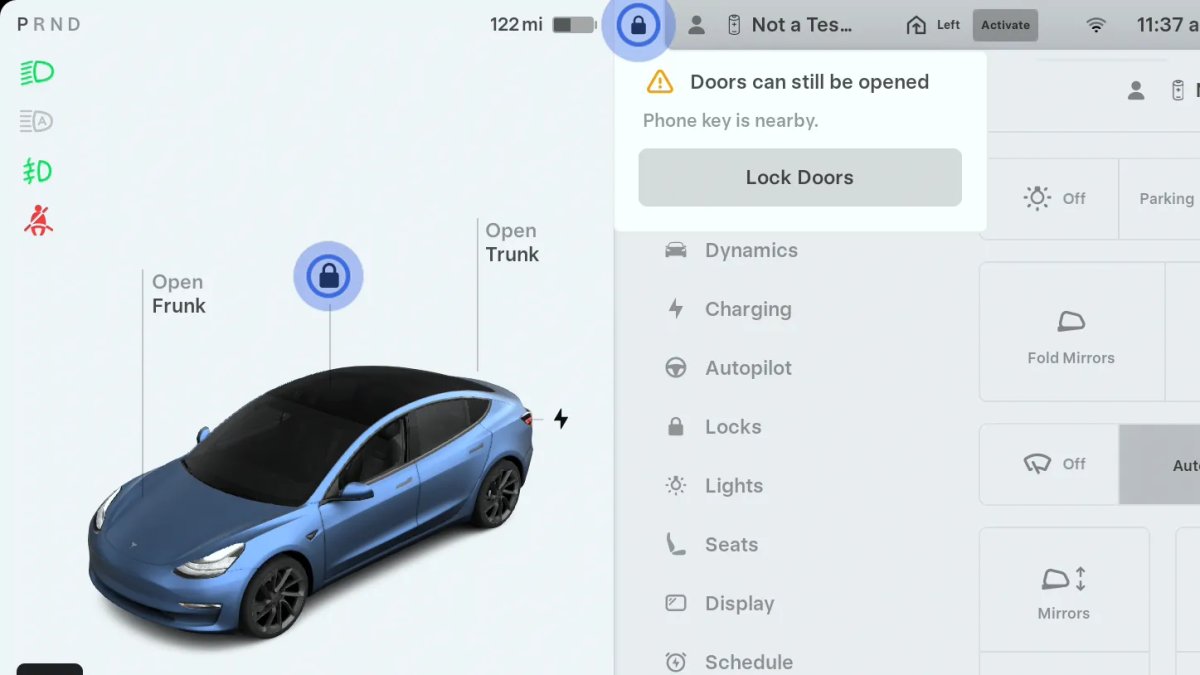
If the car is locked remotely or leaving, and a person with a phone remains inside, the new animation warns him that because of the phone key nearby, the car can still be opened from the outside.

Region and availability

Worldwide

Mobile Access

Tracker observation
Mobile Access
Models

Model S, Model 3, Model X, Model Y, Cybertruck

Hardware

Not documented.

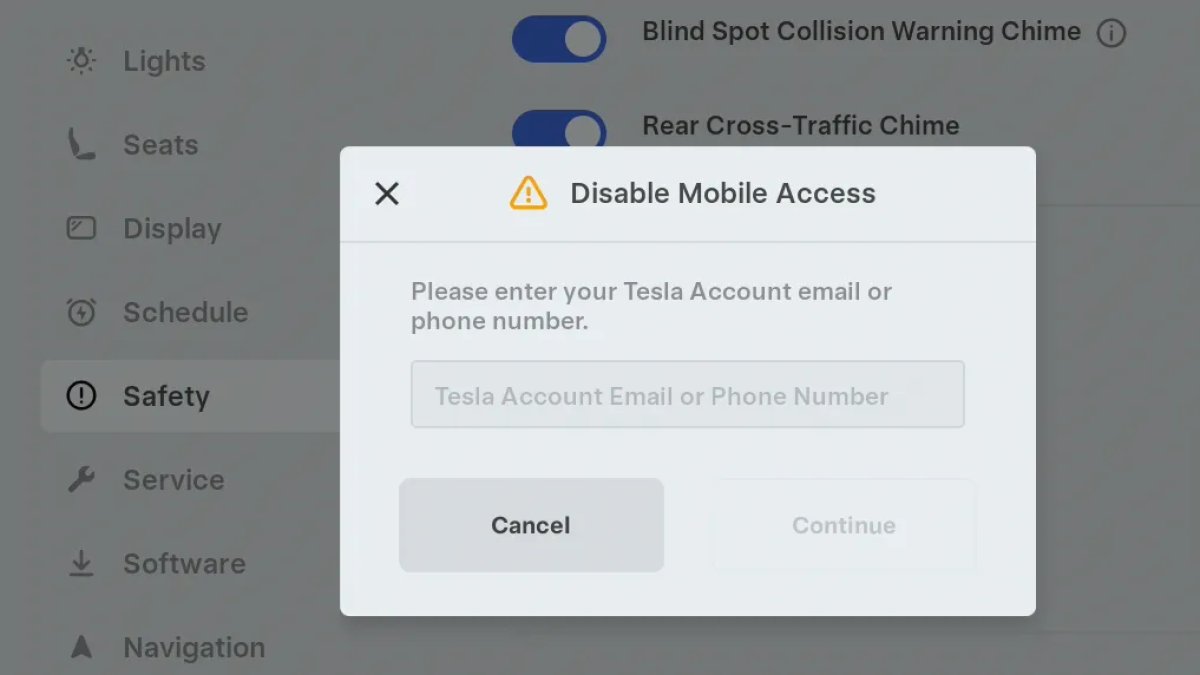
To disable the control of the car from the application in Controls → Safety, you can now confirm the account not only by email, but also by an attached phone number. Disable location viewing, unlock, launch and other commands.

Region and availability

Worldwide

Battery Health Test Removed

Tracker observation
Battery Health Test Removed
Models

Model S, Model 3, Model X, Model Y, Cybertruck; availability depends on the car

Hardware

Not documented.

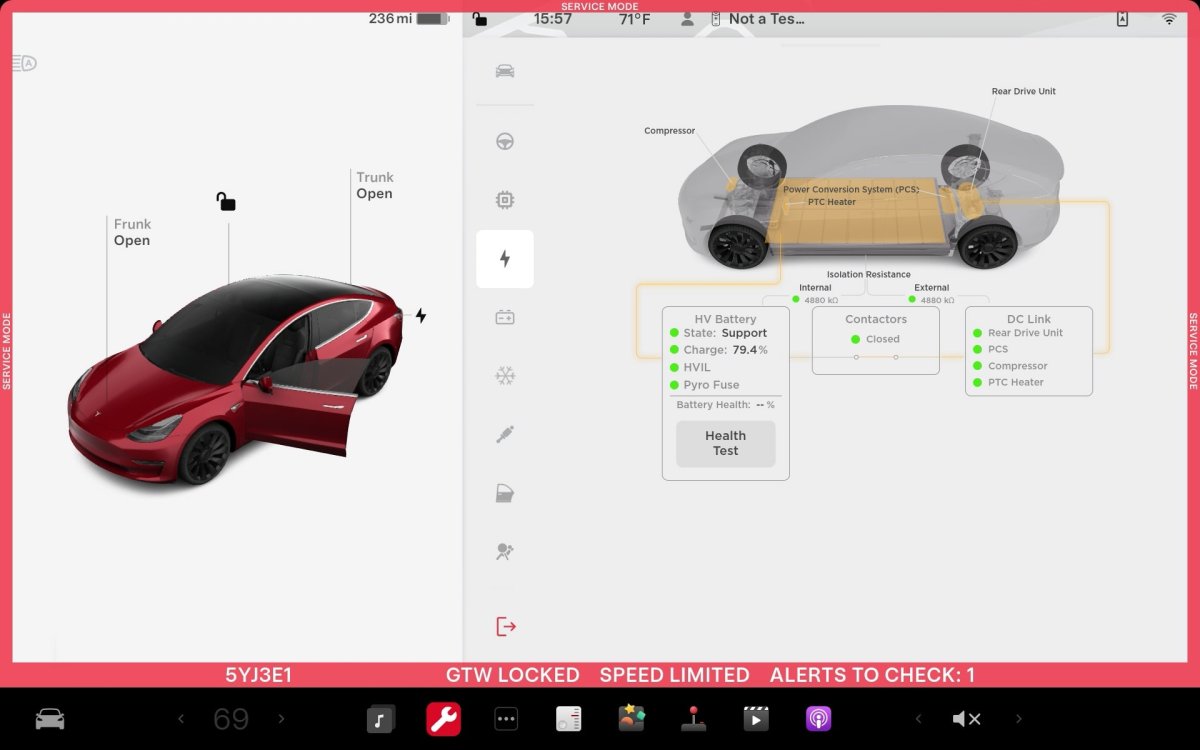
Battery Health Test, previously available in Service Mode and the main menu Service. Availability depends on model, age, and possibly other factors; the reason for removal is not confirmed by the source.

Region and availability

Worldwide

Tow Limit Exceeded

Tracker observation
Tow Limit Exceeded
Models

Cybertruck

Hardware

Not documented.

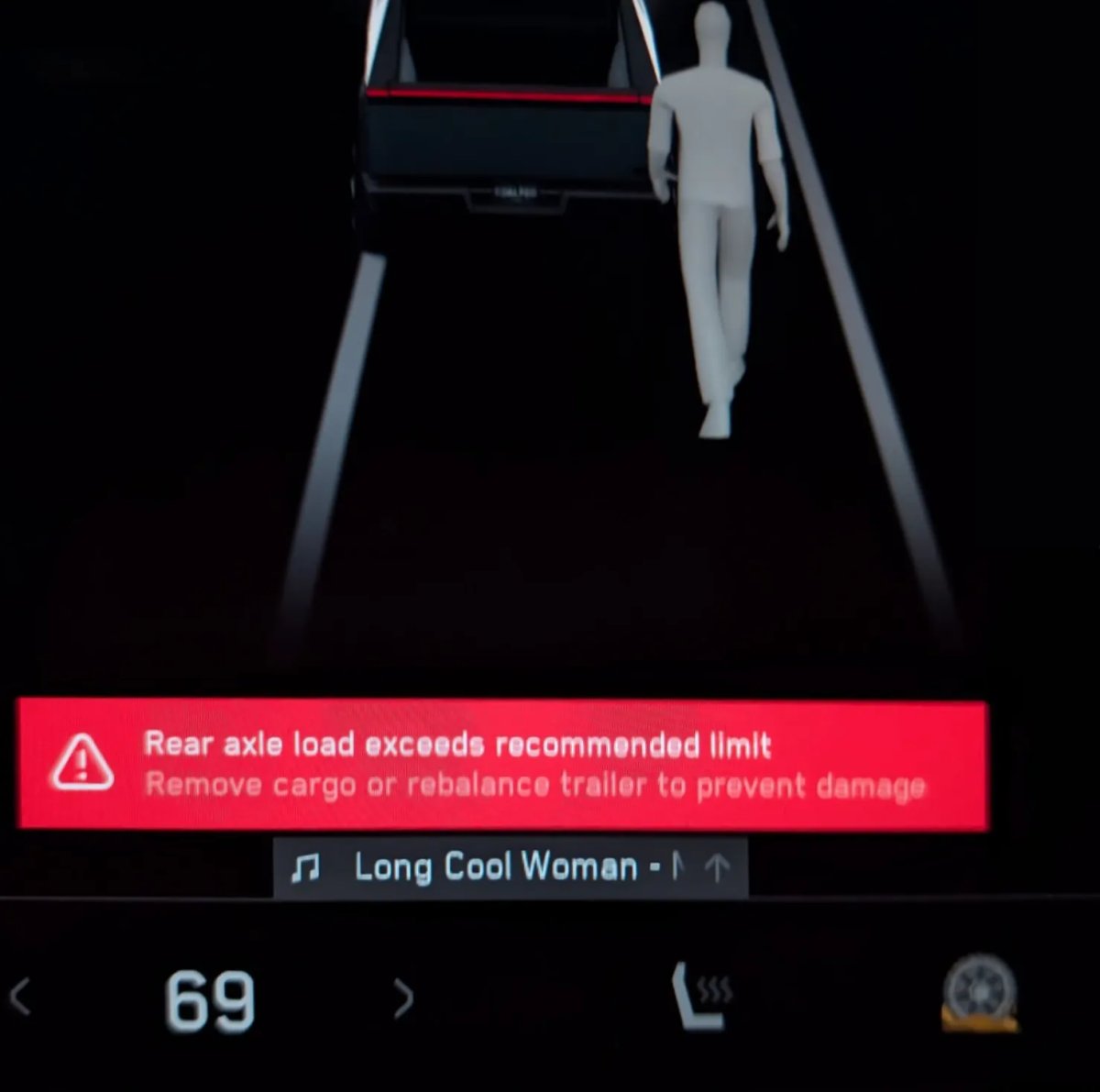
Cybertruck can determine the excess of the permissible load of the car when towing and warn the driver.

Region and availability

Worldwide

Car Wash Mode Improvements

Tracker observation
Car Wash Mode Improvements
Models

Model S, Model 3, Model X, Model Y, Cybertruck

Hardware

Not documented.

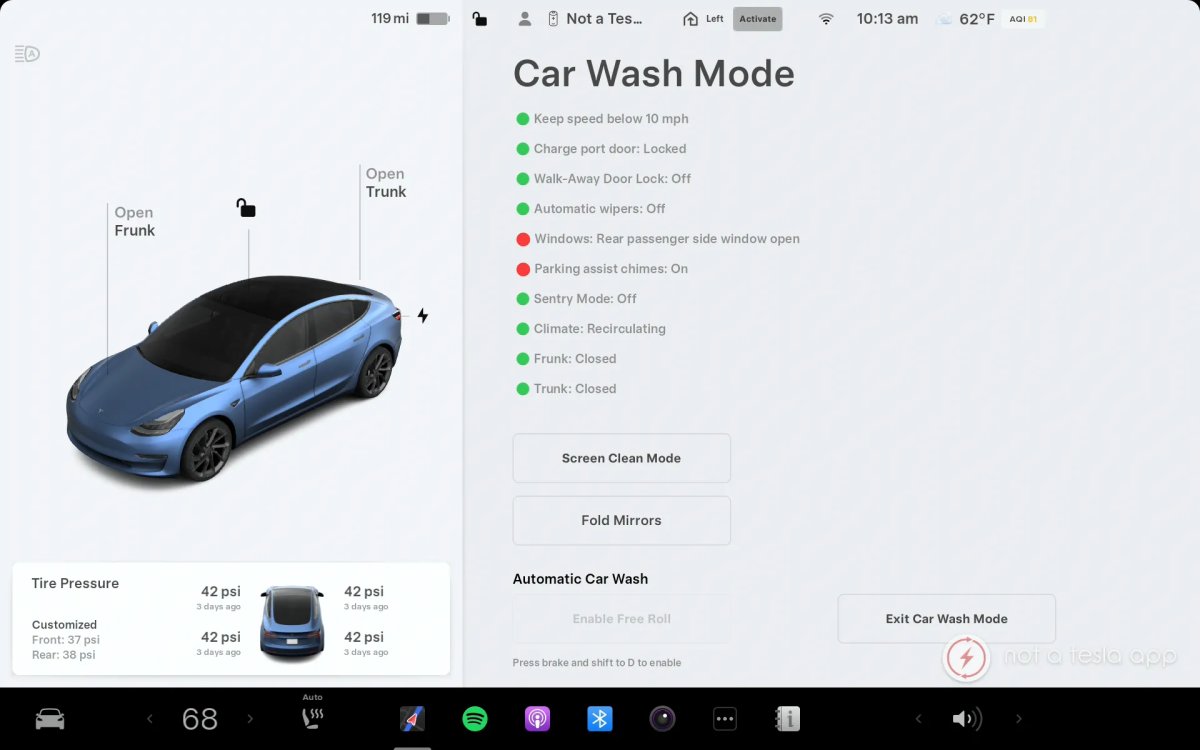
Car Wash Mode not only closes windows when turned on, but also continues to monitor them, warning them if any window is opened during washing.

Region and availability

Worldwide

Service Mode Improvements

Tracker observation
Service Mode Improvements
Models

Model S and Model X 2021+, Model 3, Model Y, Cybertruck; individual actions available to all cars, restart also Semi

Hardware

Not documented.

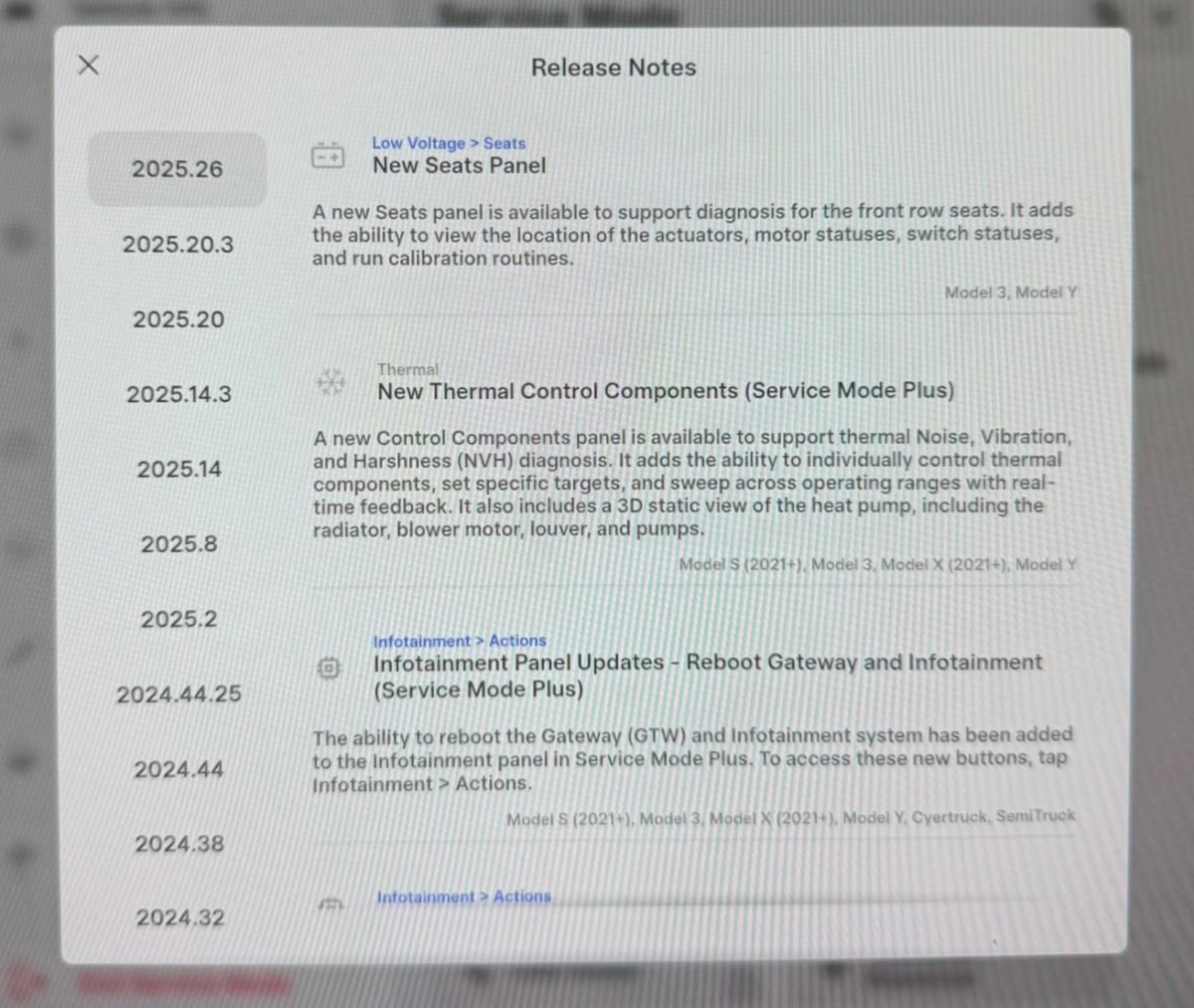
Added front seat diagnostics for Model 3/Y, thermal component management for S/X 2021+ and 3/Y, Gateway restart and multimedia in Service Mode Plus, refrigerant pressure control and Cybertruck power distribution tests. The Vehicle Functions panel for Model Y only dates back to 2026.26.3 and is missing in the early versions of 2025.26.

Region and availability

Worldwide

Charging

Site Info at Arrival

Site Info at Arrival
Models

Model S, Model 3, Model X, Model Y, Cybertruck

Hardware

Not specified.

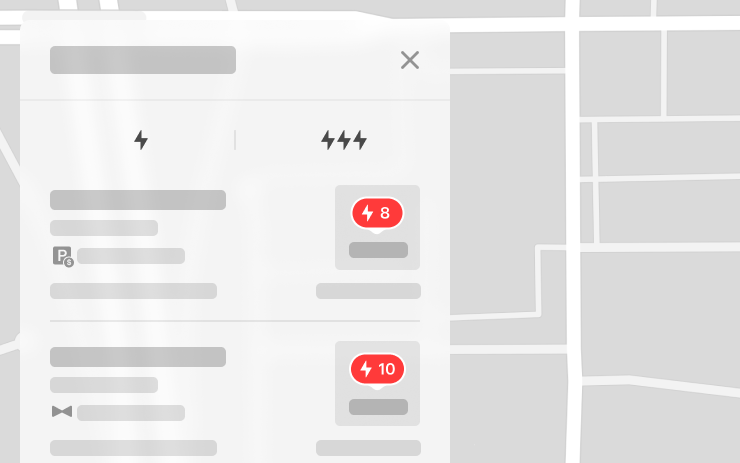
In the list of charges appeared icons of mandatory valet service and paid parking. Upon arrival, the notification shows access codes, parking restrictions, floor and availability of a toilet; information is also available in the site card.

Region and availability

Worldwide

Interface

Sentry Mode With Ambient Lighting

Tracker observation
Sentry Mode With Ambient Lighting
Models

Model S (new), Model 3 (new), Model X (new), Model Y (new), Cybertruck

Hardware

Supported contour lighting; not documented

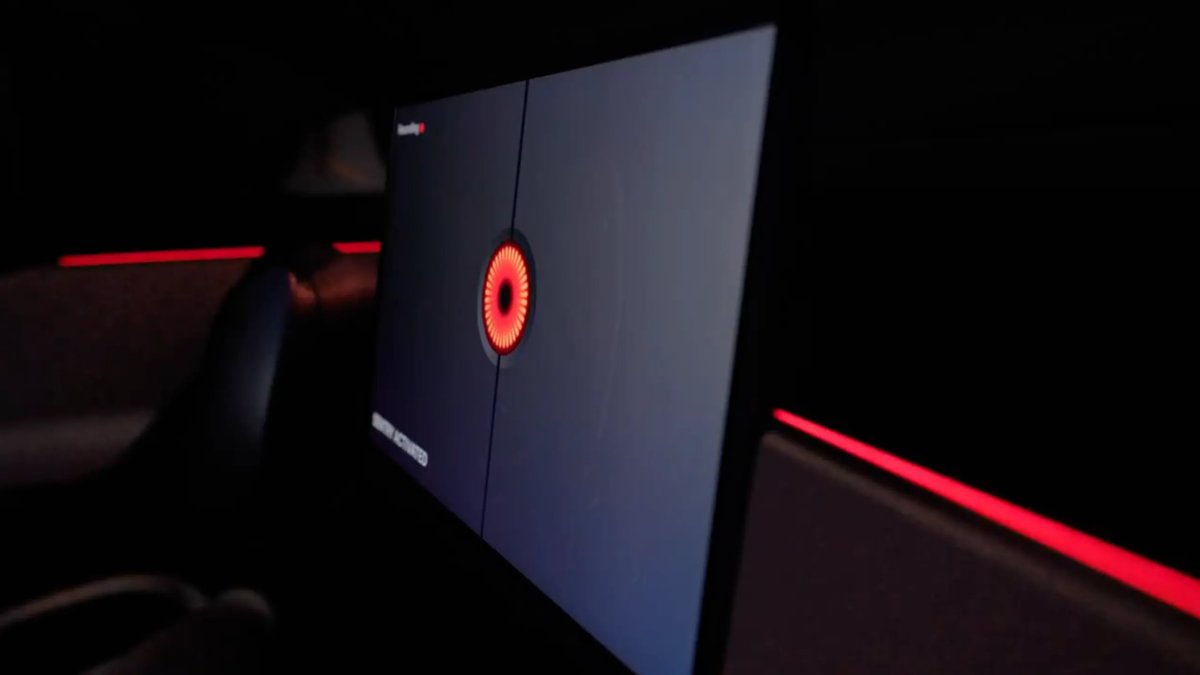
On supported cars, when a threat is detected and Sentry Mode recording begins, salon light stripes gently pulse in red.

Region and availability

Worldwide

Last checked

Checked 11 October 2026. TeslaFi figures are a stored tracker sample, not a measure of the entire fleet. Confirm availability in your vehicle’s own release notes.

Tesla: how software updates work ↗