A large release with adaptive headlights, alternative routes, Dashcam and Sentry Mode improvements, saved boot-opening heights, accessory power and Service Mode tools.
Your region is remembered for both language versions of the software catalogue. Unknown applicability remains visible and clearly marked.
Matrix headlights selectively darken individual pixels around other drivers and cyclists, allowing longer high beams. Controls → Lights → Adaptive Headlights
Region and availability
Region not confirmed
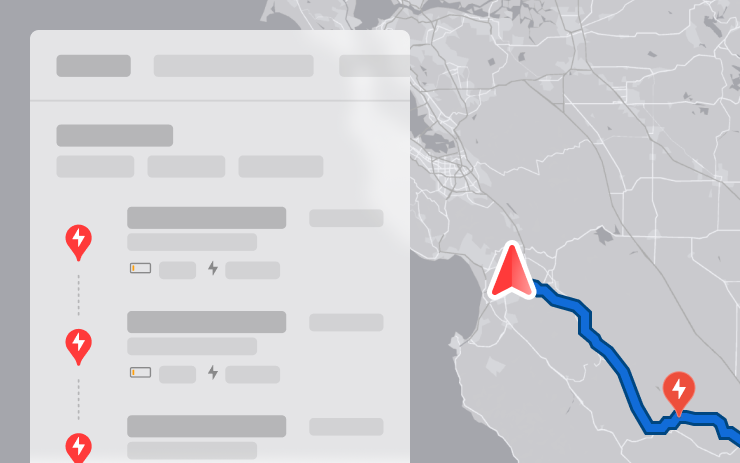
Alternative Trip Plans
Models
Model S, Model 3, Model X, Model Y, Cybertruck
Hardware
Not specified.
Navigation offers three options: the fastest route, stops with the best infrastructure or a minimum of charging stops.
Region and availability
Worldwide
Save Trunk Height Based on Location
Models
Model S (new), Model 3, Model X (new), Model Y
Hardware
Not specified.
The height of the trunk opening can be saved as general or for a specific place, such as a garage. The saved points are reset via Controls → Service → Remove Saved Locations.
Region and availability
Worldwide
Lane Departure Avoidance
Models
Cybertruck
Hardware
Not specified.
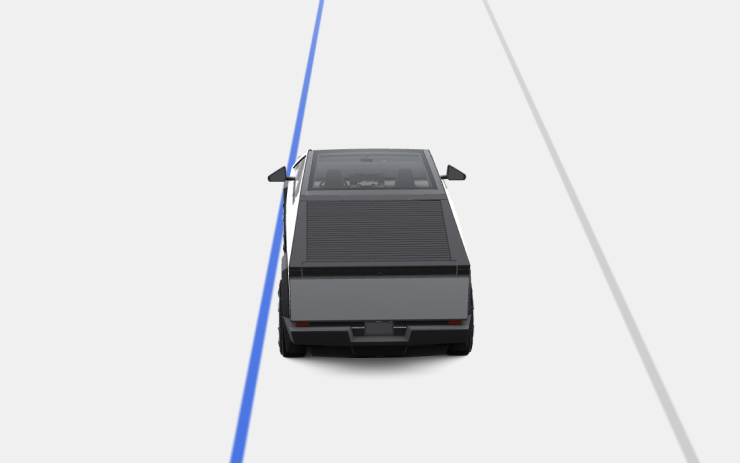
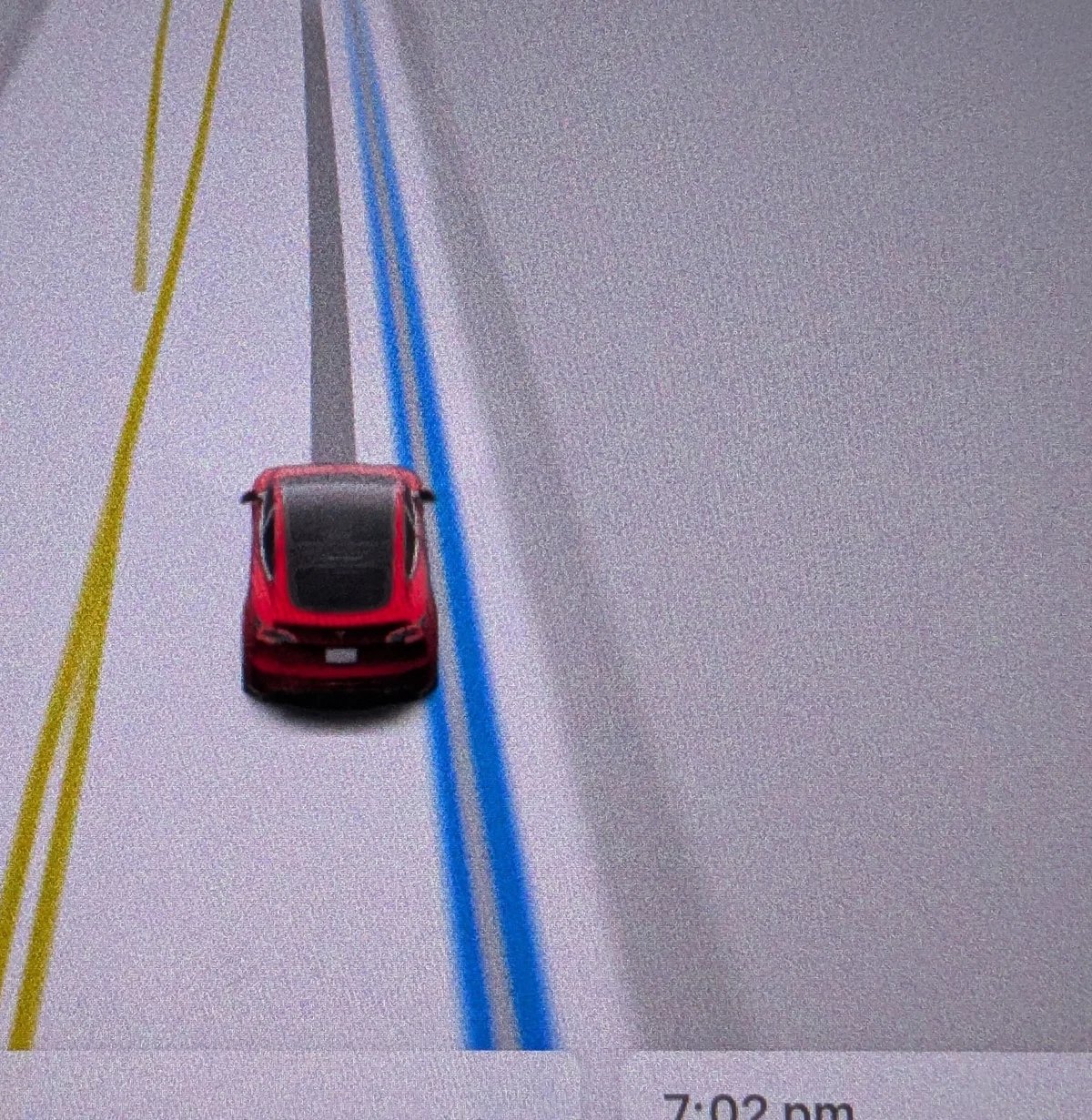
Cybertruck not only warns of crossing markups, but can also help get back into the lane. The screen shows the blue line on the side of the intersected markings; normal and emergency modes are available to prevent departure.
Region and availability
Worldwide
Save Frunk Height Based on Location
Models
Cybertruck
Hardware
Not specified.
Cybertruck allows you to save the opening height of frunk as a general or specific location. Place settings are reset via Controls → Service → Remove Saved Locations.
Region and availability
Worldwide
Comfort Drive Mode in Autopilot
Models
Cybertruck
Hardware
Not specified.
When Autopilot is enabled, Cybertruck automatically switches to Comfort Drive Mode. The function is active by default and disables in Controls → Dynamics.
Region and availability
Worldwide
Keyboard Languages
Models
Model S, Model 3, Model X, Model Y, Cybertruck
Hardware
Not specified.
On the touch screen, you can add several layouts and switch between them with a long press of the globe icon.
Region and availability
Worldwide
Keep Accessory Power On
Models
Model S (new), Model 3, Model X (new), Model Y, Cybertruck
Hardware
Not specified.
Low-voltage outlets and USB ports can remain active after leaving the vehicle at a charge above 20%. The mode is enabled in Controls → Charging and increases power consumption even without connected devices.
Region and availability
Worldwide
Minor Updates
Models
Model S, Model 3, Model X, Model Y, Cybertruck
Hardware
Not specified.
Added objects next to charging, filter media search, control favorite SiriusXM from the steering wheel, Amazon Music Free, full mixing of long Apple Music playlists, YouTube Music queue, third-party charging filter, auto-connect to the hotspot and photo contacts. Security fixes are also included.
Region and availability
Worldwide
Improvements to Heated Steering Wheel
Tracker observation
Models
Model S, Model 3, Model X, Model Y, Cybertruck
Hardware
Not documented.
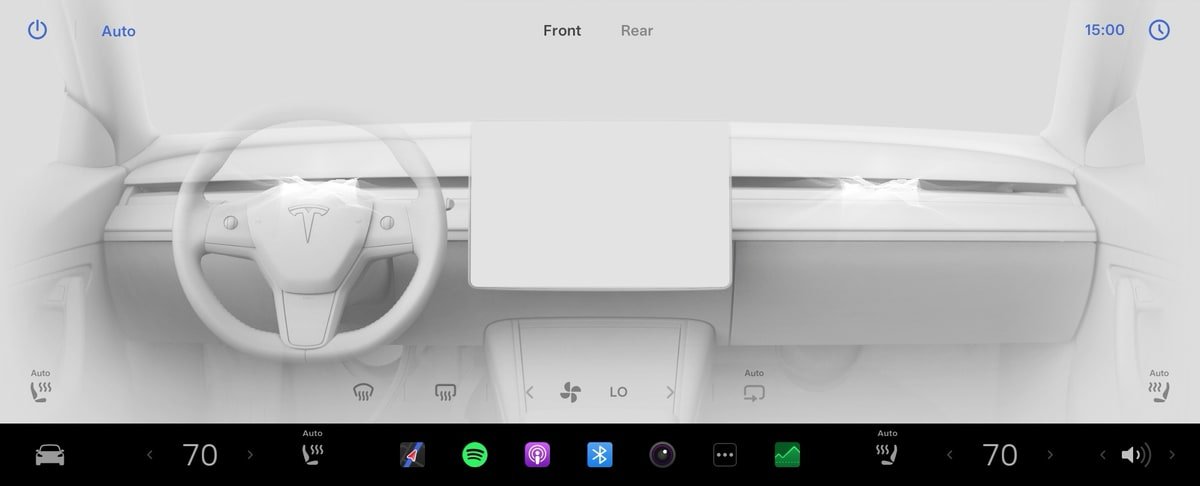
In Auto mode, the heated steering wheel now focuses on the cabin temperature even under manual settings of the climate system.
Region and availability
Worldwide
Improved Dashcam Viewer
Tracker observation
Models
Model S (new), Model 3, Model X (new), Model Y
Hardware
AMD Ryzen, including HW3; not documented
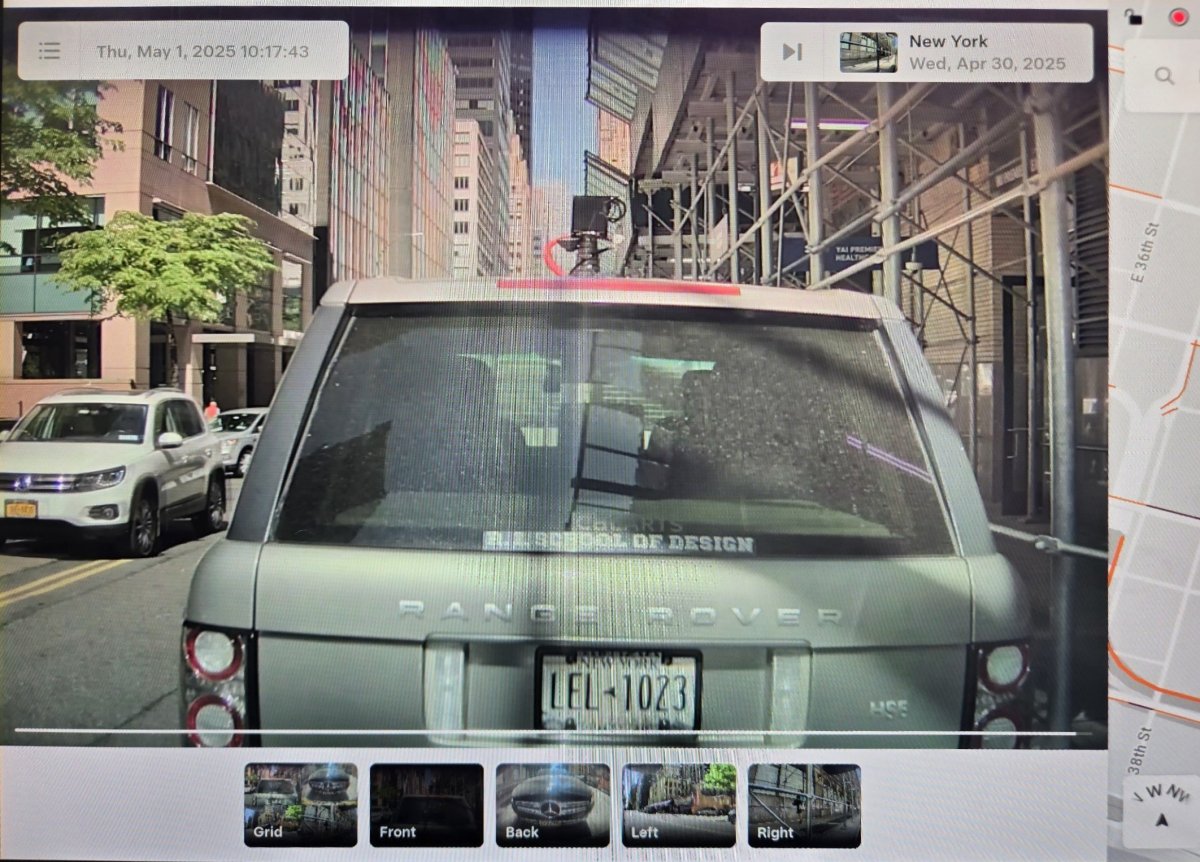
On cars with HW3 and AMD Ryzen, a new viewer is available: a grid of four cameras, transitions to 15 seconds back and forth, transition to the next clip and select the cameras at the bottom of the screen. Recording of central rack cameras for HW3 is not added.
Region and availability
Worldwide
Camera App
Tracker observation
Models
Model Y
Hardware
HW4; not documented
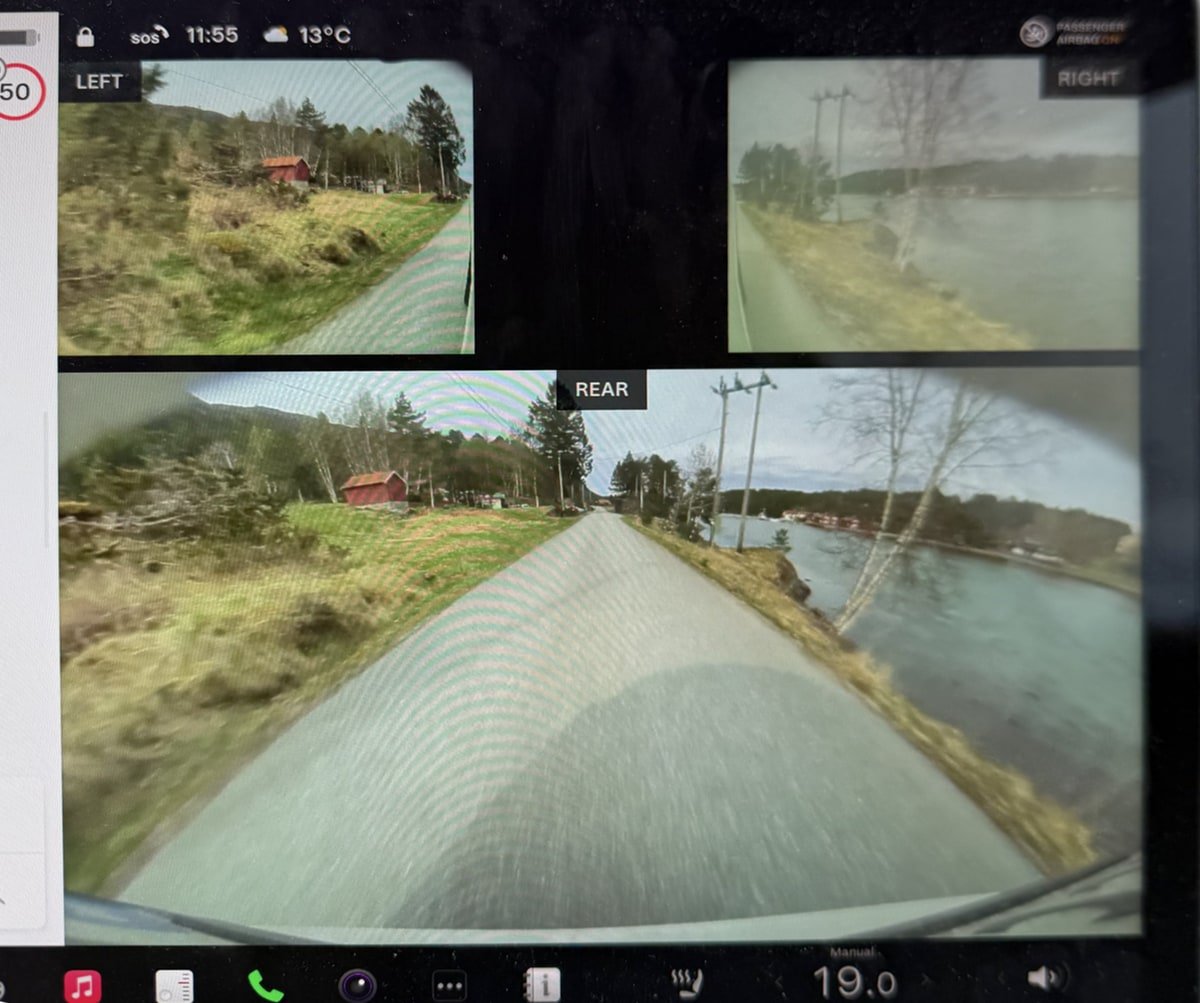
On the Model Y with the HW4, repeaters are moved up the screen and signed, and the rear camera field of view is extended in the Tesla car and app.
Region and availability
Worldwide
Speedometer
Tracker observation
Models
Model S, Model 3, Model X, Model Y, Cybertruck
Hardware
Not documented.
In regions with a metric system, the speed designation has been corrected from KM/H to km/h.
Region and availability
Worldwide · Regions with km/h
Sentry Mode Menu
Tracker observation
Models
Model S, Model 3, Model X, Model Y, Cybertruck
Hardware
Not documented.
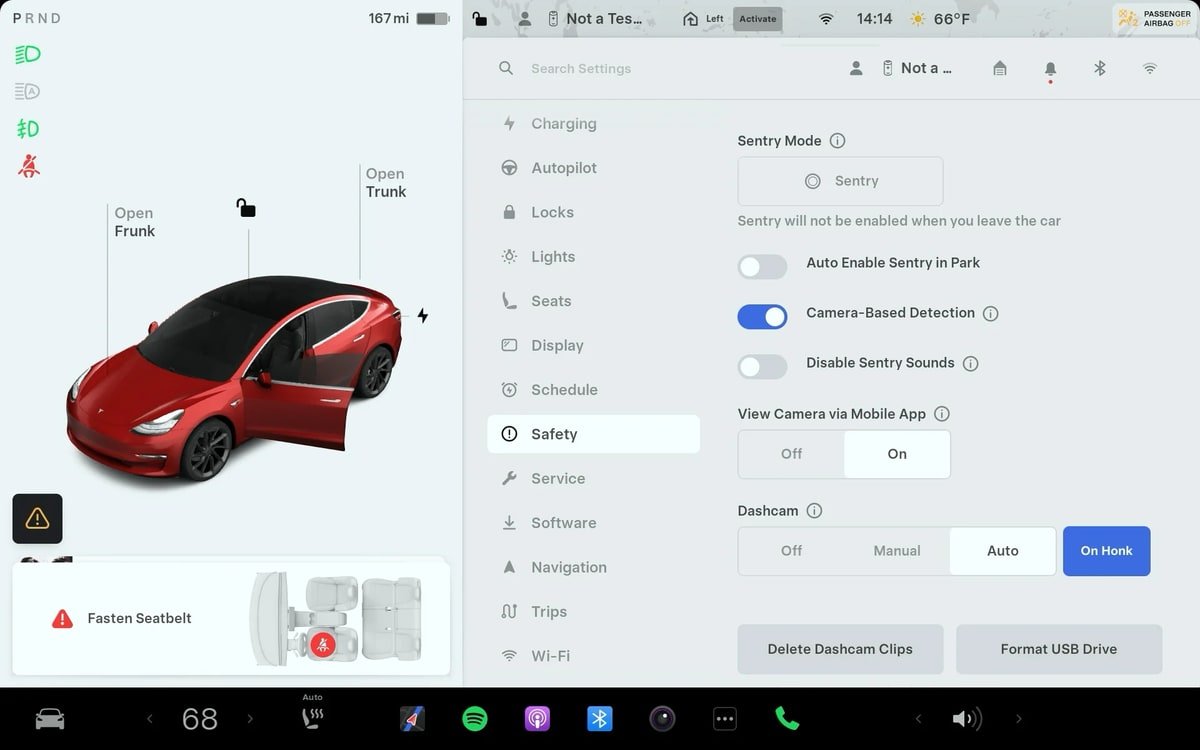
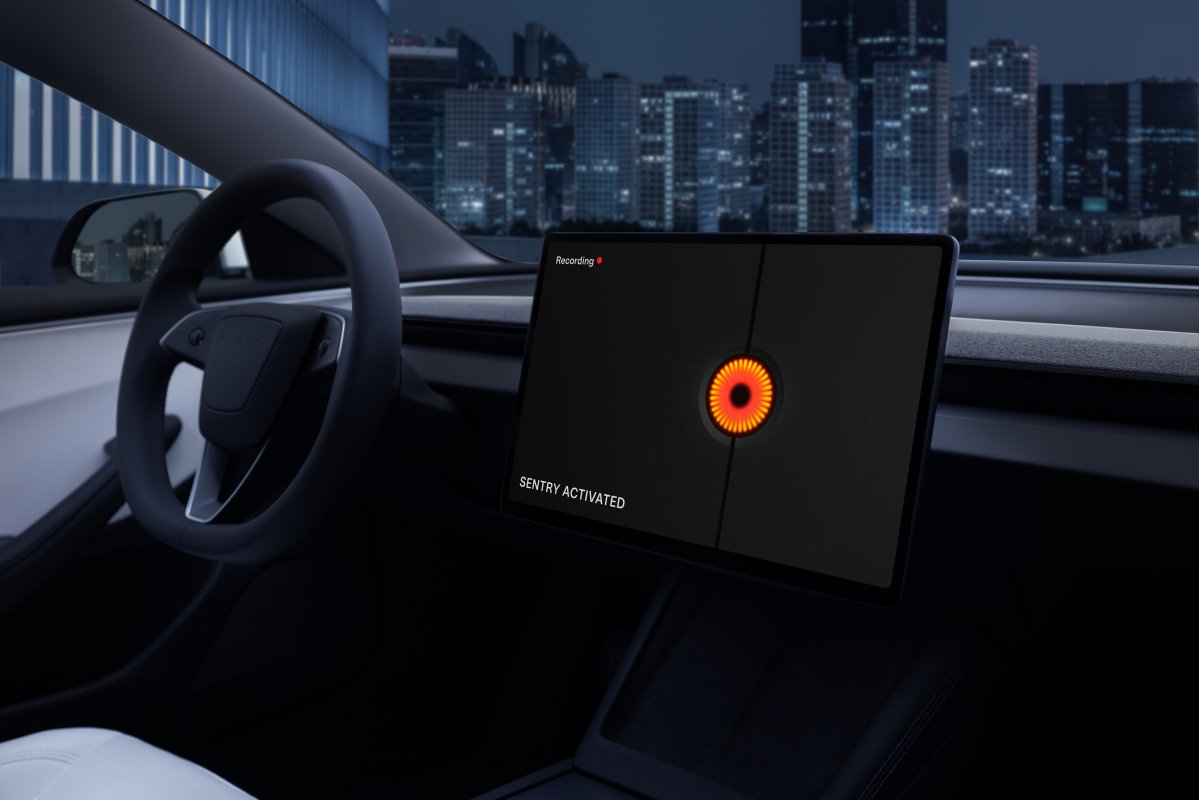
Controls → Safety separates one-time activation of Sentry Mode and permanent activation when parking. Exceptions for home, work and favorite places are shown only at constant mode.
Region and availability
Worldwide
Service Mode Release Notes
Tracker observation
Models
Model 3 2024+, Model Y 2025+, Cybertruck, Model X; tool dependent
Hardware
DAS HW4 for headlamps adjustment; other not documented
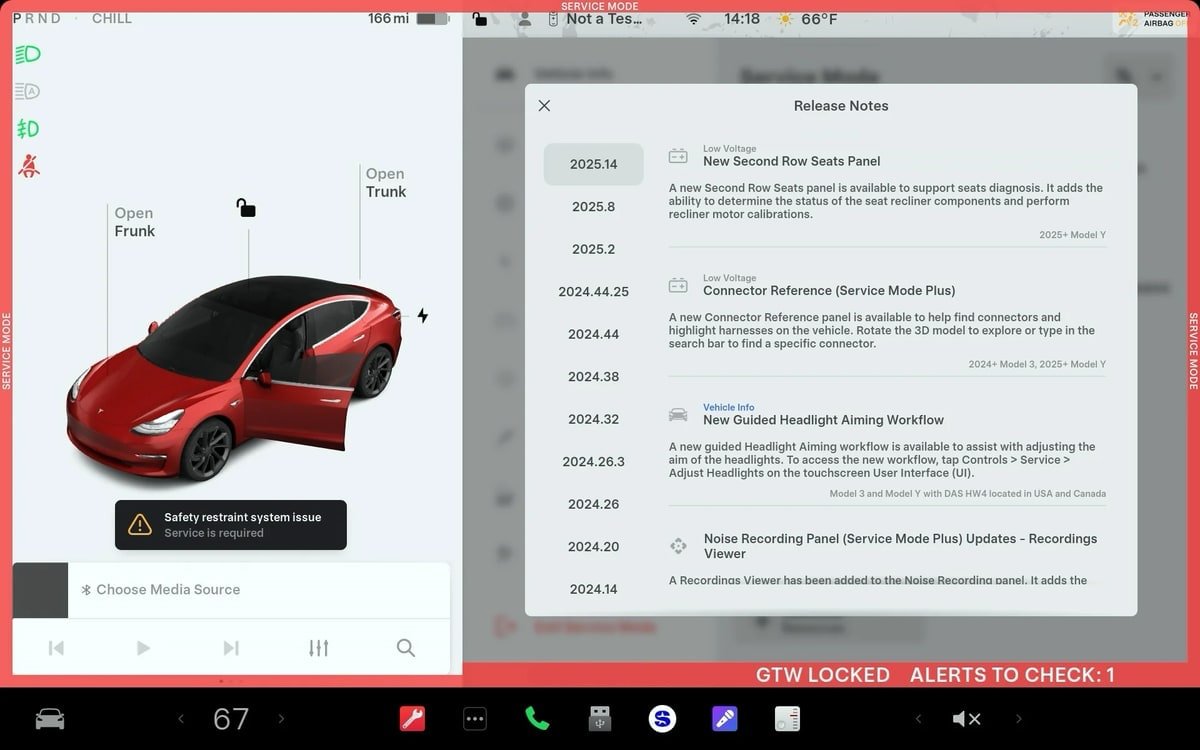
Diagnostics of the second row of Model Y 2025+, reference connectors for Model 3 2024+ and Model Y 2025+, headlight adjustment for Model 3/Y with HW4 in the United States and Canada, viewing noise recordings and diagnosis of HVAC Cybertruck, as well as checking ultrasonic sensors Falcon Door Model X.
Region and availability
Worldwide; headlight adjustment - USA and Canada
Interface
Blind Spot Camera on Driver Screen
Models
Model S (new), Model X (new)
Hardware
Not specified.
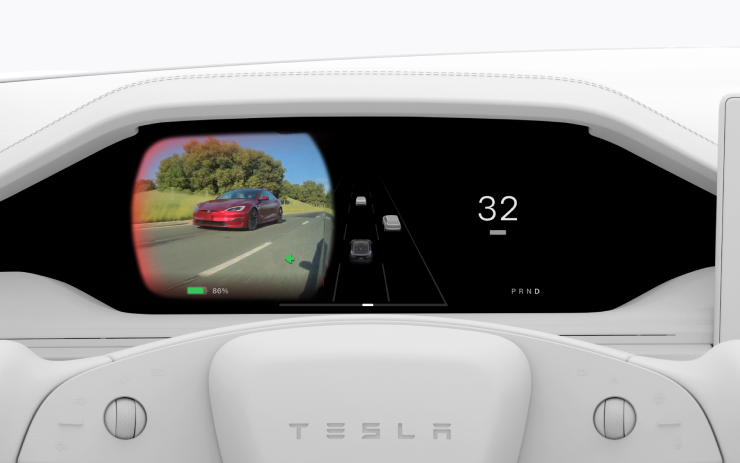
Blind zone camera video can be displayed on the instrument display via Controls → Display → Automatic Blind Spot Camera → Driver Display.
Cameras in the central racks are recorded in Dashcam and Sentry videos, and the viewer received a grid for a convenient review of records.
Region and availability
Worldwide
Language Support
Tracker observation
Models
Cybertruck
Hardware
Not documented.
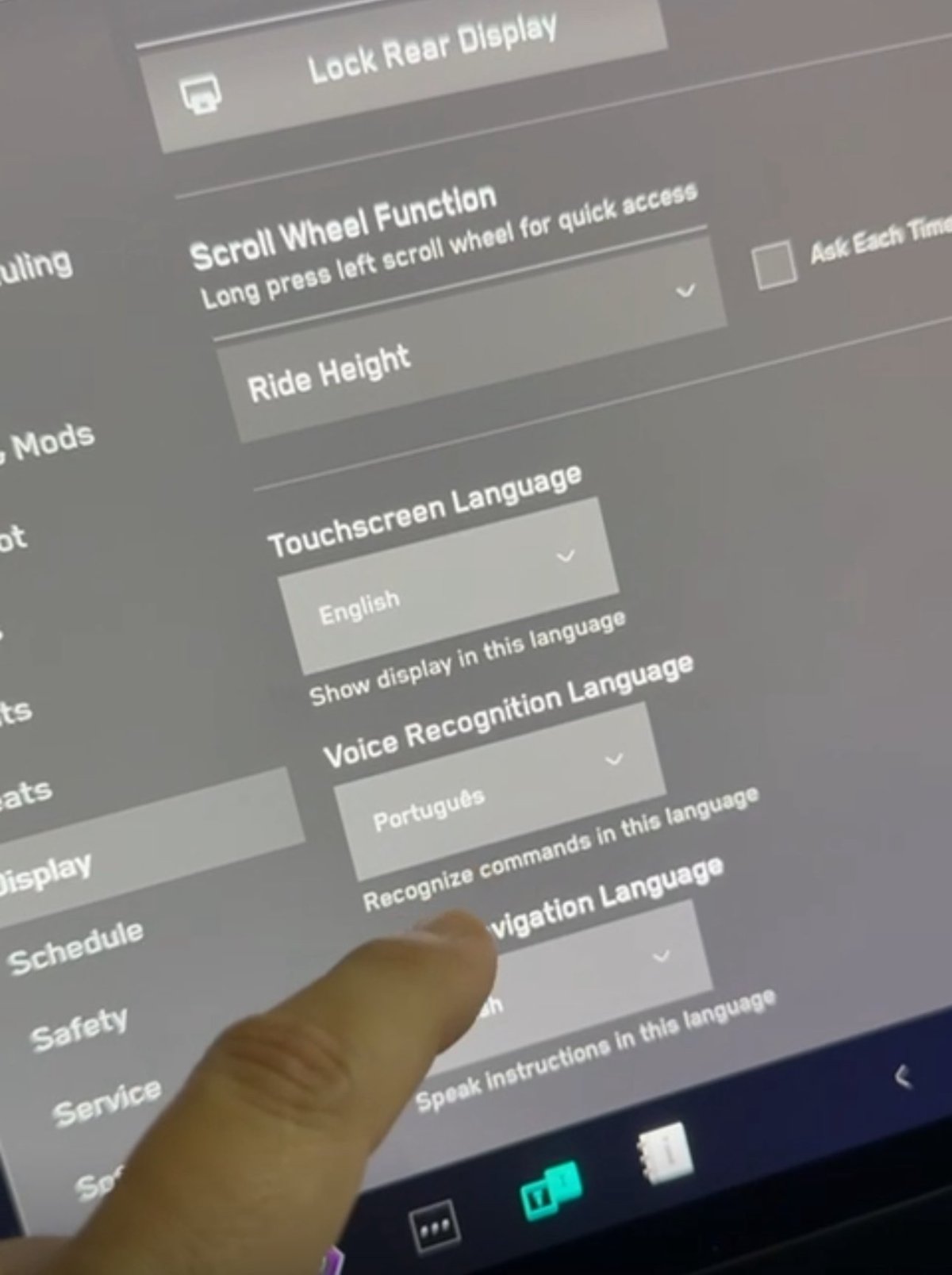
Cybertruck received a choice of interface language, speech recognition and navigation, like other models. The navigation languages available depend on the map region.
Region and availability
Languages of navigation depend on the region of maps
Media
Apple Music Improvements
Tracker observation
Models
Model S, Model 3, Model X, Model Y, Cybertruck
Hardware
Not documented.
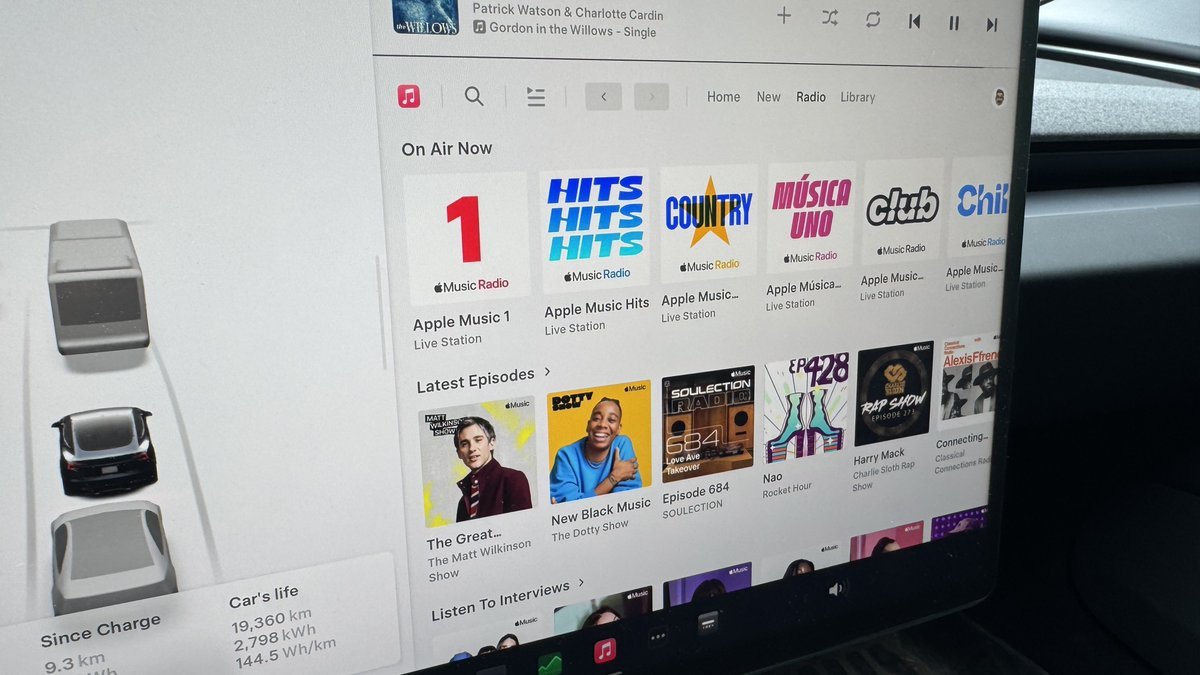
The mixing covers the entire playlist, not the first 100 tracks. For branded radio stations, the song title and performer are shown; new stations Apple Música Uno, Apple Music Club and Apple Music Chill are added.
Region and availability
Worldwide
Charging
Sentry Mode Improvement
Tracker observation
Models
Model S, Model 3, Model X, Model Y, Cybertruck
Hardware
Not documented.
After an automatic shutdown at a charge below 20%, the Sentry Mode is switched on again when the car is powered.
Region and availability
Worldwide
FSD
Lane Departure Avoidance Updated to FSD
Tracker observation
Models
Model S, Model 3, Model X, Model Y, Cybertruck with FSD
Hardware
HW3, HW4; not documented
Lane Departure Avoidance and Lane Assist translate from the old Autopilot stack to FSD, which allowed them to add Cybertruck and preserve modern visualization. When crossing the markup, blue lines are shown.
Region and availability
North America
Last checked
Checked 11 October 2026. TeslaFi figures are a stored tracker sample, not a measure of the entire fleet. Confirm availability in your vehicle’s own release notes.