Model S (new), Model 3, Model X (new), Model Y, Cybertruck
Hardware
AMD Ryzen
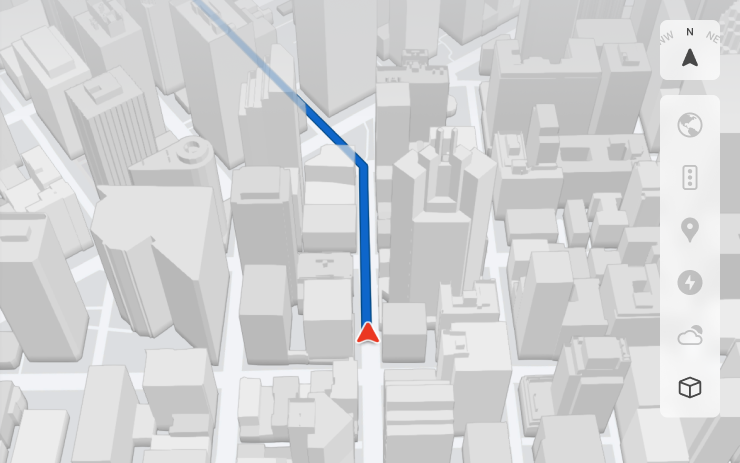
The map received more detailed 3D models of buildings and city blocks. The mode is enabled by the 3D icon in the card window and requires Premium Connectivity.
Region and availability
Worldwide
Dashcam Viewer Updates
Models
Model S (new), Model 3, Model X (new), Model Y, Cybertruck
Hardware
Not specified.
DVR events show street names when available. Mobile browsing has received higher broadcast and download resolution; Tesla 4.49.5 or later is required.
Region and availability
Worldwide
Onboarding Guide
Models
Model 3 (new), Model Y (new)
Hardware
Not specified.
Interactive familiarity explains driver settings, touch screen, lights, wipers and Autopilot capabilities. Manual – Get to Know Your Tesla
Region and availability
Worldwide
Minor Updates
Models
Model S, Model 3, Model X, Model Y, Cybertruck
Hardware
Not specified.
Apple Music received playlist folders, expanded artist pages and a more complete listening history. Media login can be confirmed via the Tesla app notification; a phone key is allowed to select a driver profile. Security fixes are also included.
Region and availability
Worldwide
Santa Mode
Tracker observation
Models
Model S 2026 (new), Model X 2026 (new)
Hardware
2026 vehicles; undocumented
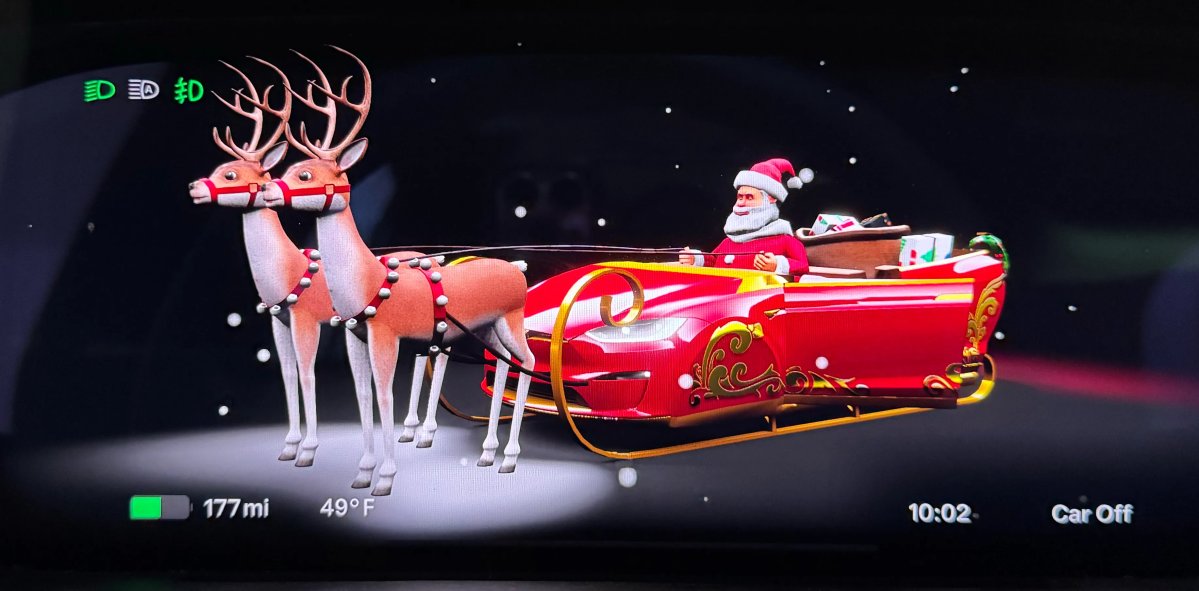
According to unofficially revealed data, Santa Mode appeared on Model S and Model X 2026 with Unreal Engine graphics, which was previously absent from Toybox.
Region and availability
Worldwide
Keep Accessory Power On App Control
Tracker observation
Models
Model S, Model 3, Model X, Model Y, Cybertruck
Hardware
Not documented.
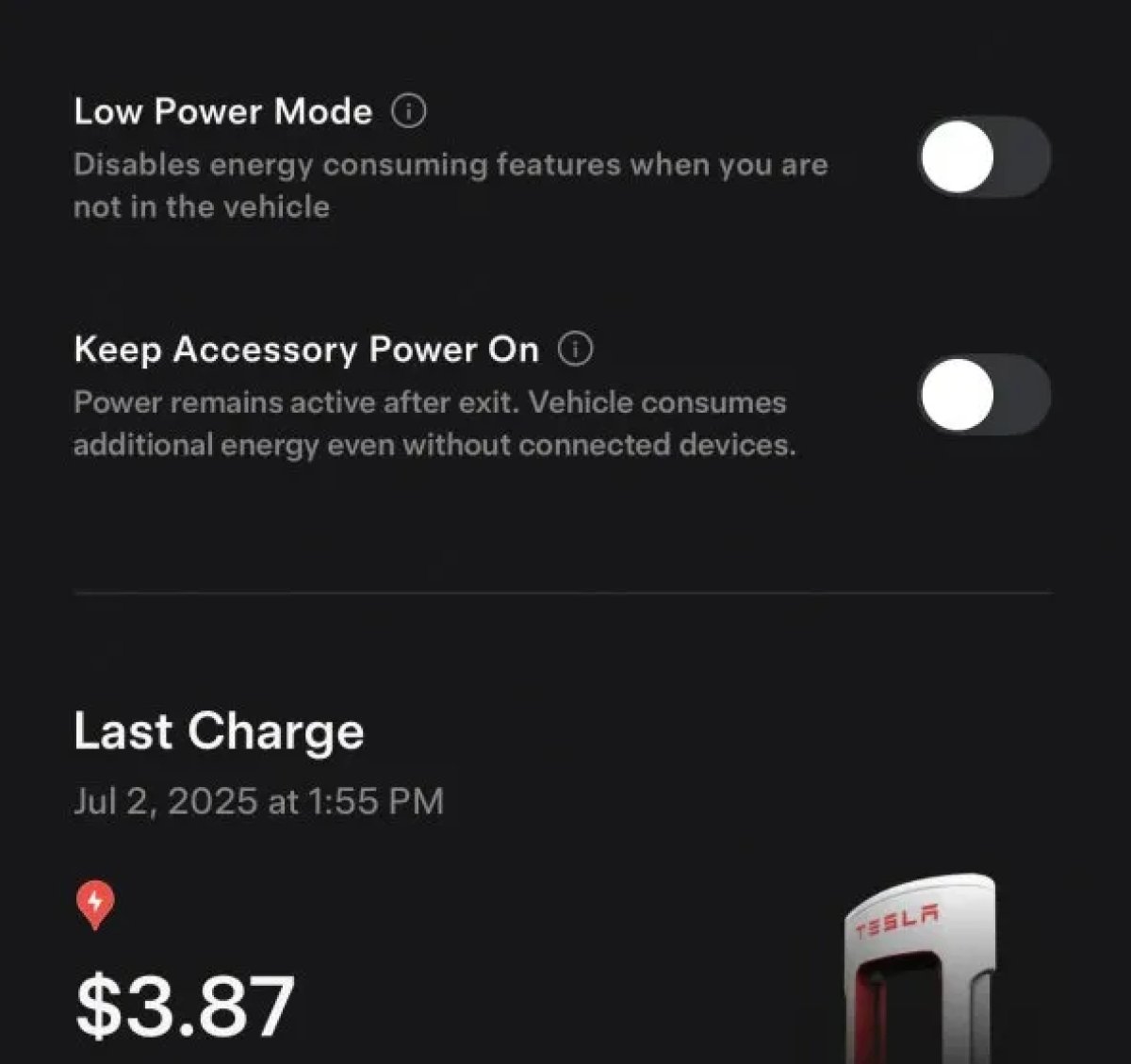
The Tesla app received control of the Keep Accessory Power On function in the new unified charging menu, and the Low Power Mode is brought to a separate button.
Region and availability
Worldwide
Buy Parts
Tracker observation
Models
Model S, Model 3, Model X, Model Y, Cybertruck
Hardware
Not documented.
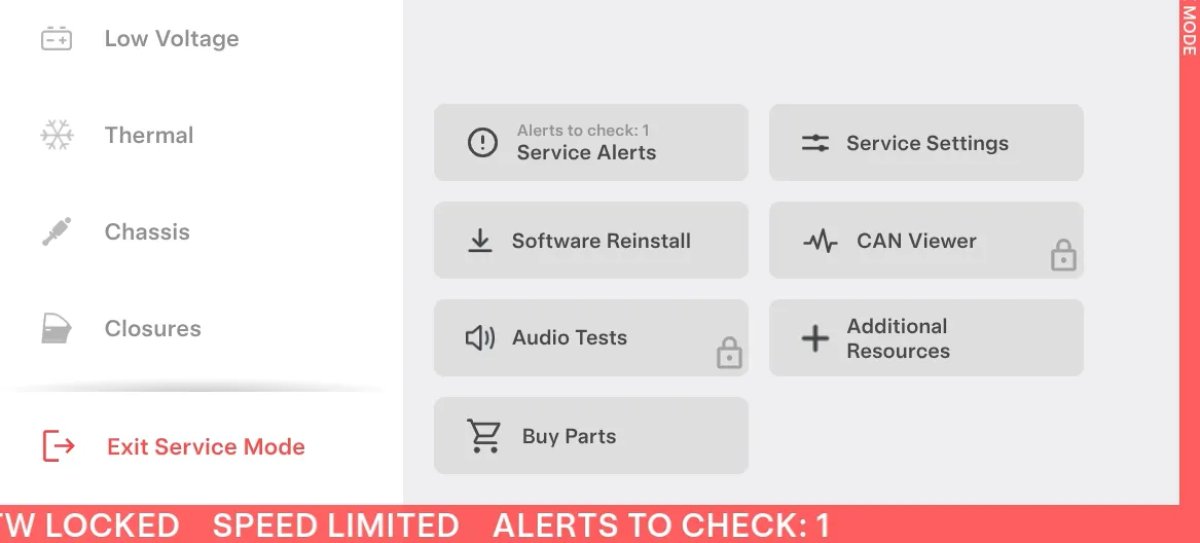
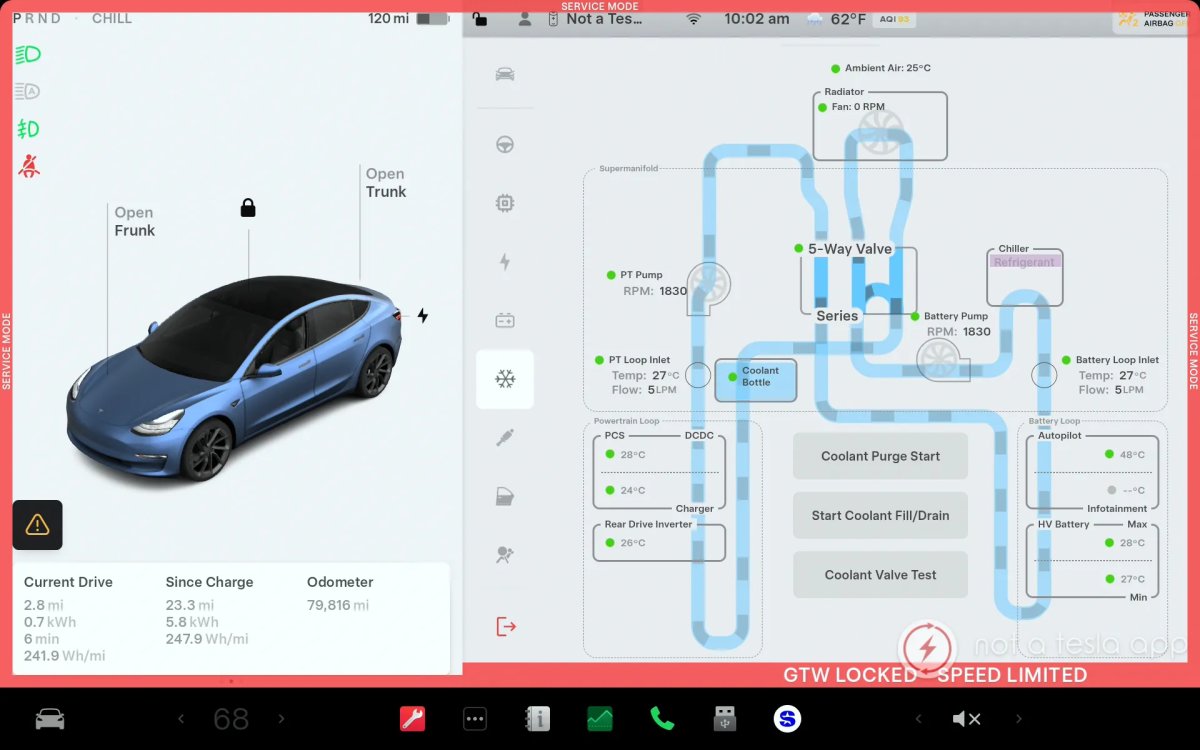
In service mode appeared button Buy Parts. It shows a QR code to go to the Tesla service site, where you can order parts with delivery to the owner or to the nearest service center.
Region and availability
Region not confirmed
Service Mode Improvements
Tracker observation
Models
Model S (2021+), Model 3, Model X (2021+), Model Y, Cybertruck; individual procedures depend on model and year
Hardware
HW4 for checking camera firmware; other undocumented
Added status panels and trunk calibration for the Model S/X 2021+, Model 3 and Model Y, and for Cybertruck - front trunk. On cars with HW4 appeared to check the discrepancy of firmware cameras and start their update. For Model 3 2017-2023 and Model Y 2020-2024, the ESP verification procedure has been replaced.
Region and availability
Worldwide
Vehicle
Side Cameras Recording
Models
Cybertruck
Hardware
Not specified.
Cameras in the central racks are now recorded in Dashcam and Sentry videos.
Region and availability
Worldwide
New Scroll Wheel Functions
Models
Model S (new), Model 3, Model X (new), Model Y, Cybertruck
Hardware
Not specified.
In the long-press left-wheel menu, quick commands appeared, including biosecurity mode, switching off navigation sound, and light music if supported by the car.
Region and availability
Worldwide
Media
Grok (Beta)
Models
Model S (new), Model 3, Model X (new), Model Y, Cybertruck
Hardware
AMD Ryzen
The built-in xAI assistant starts from the app menu or with a long press of a voice button and offers different voices and communication styles. You need Premium Connectivity or Wi-Fi; Tesla is not talking about the car. Grok does not yet manage the functions of the car.
Region and availability
Region not confirmed
FSD
New FSD Guide
Tracker observation
Models
Model S, Model 3, Model X, Model Y, Cybertruck
Hardware
Not documented.
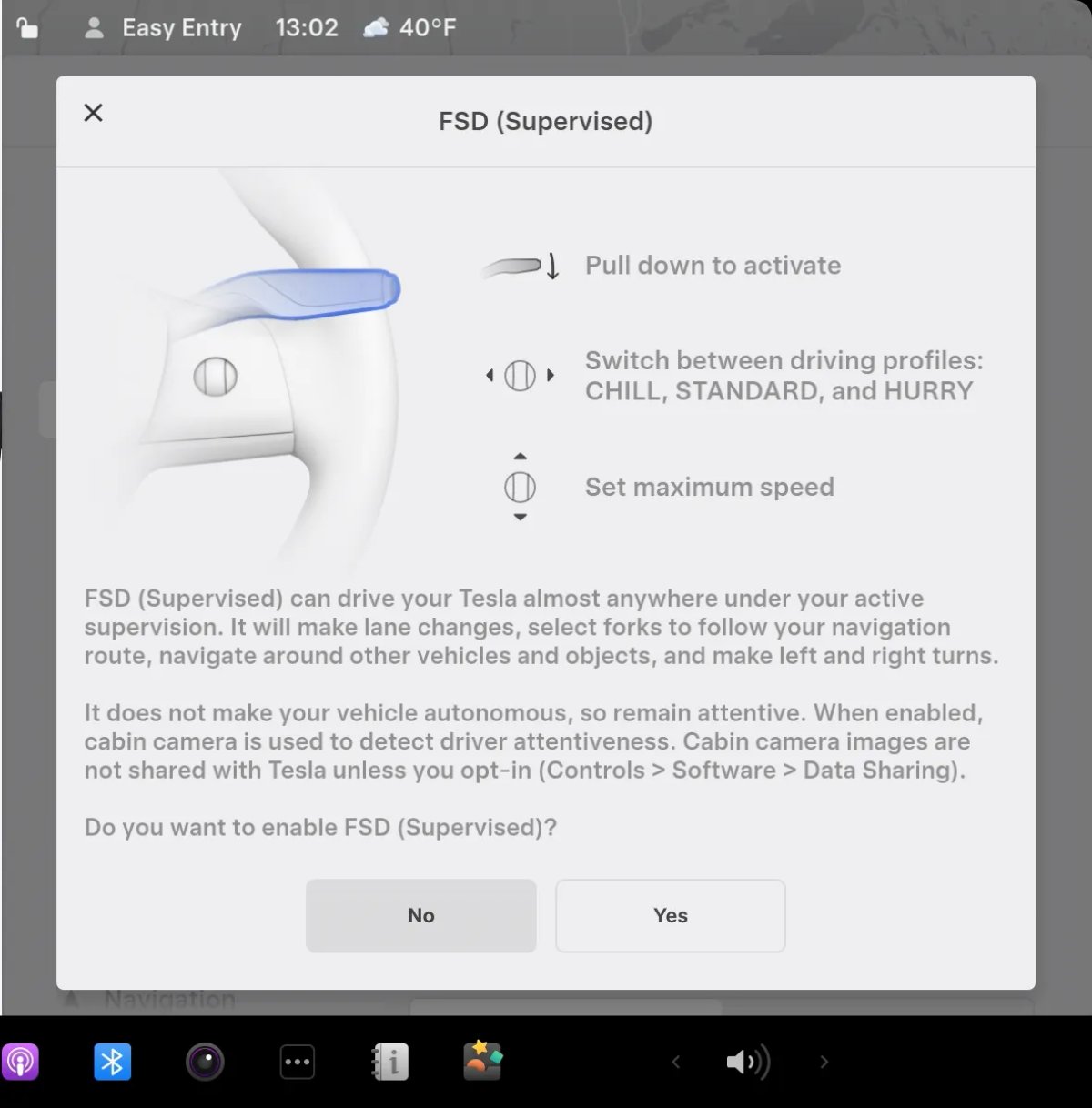
When FSD is enabled in Autopilot settings, a one-page guide with a warning and a picture of the controls of a particular model is shown. For FSD V13 and below, it explains the profile change and top speed.
Region and availability
Region not confirmed
FSD requires constant driver control.
Charging
More Charging Information
Tracker observation
Models
Model S (new), Model 3, Model X (new), Model Y, Cybertruck
Hardware
Not documented.
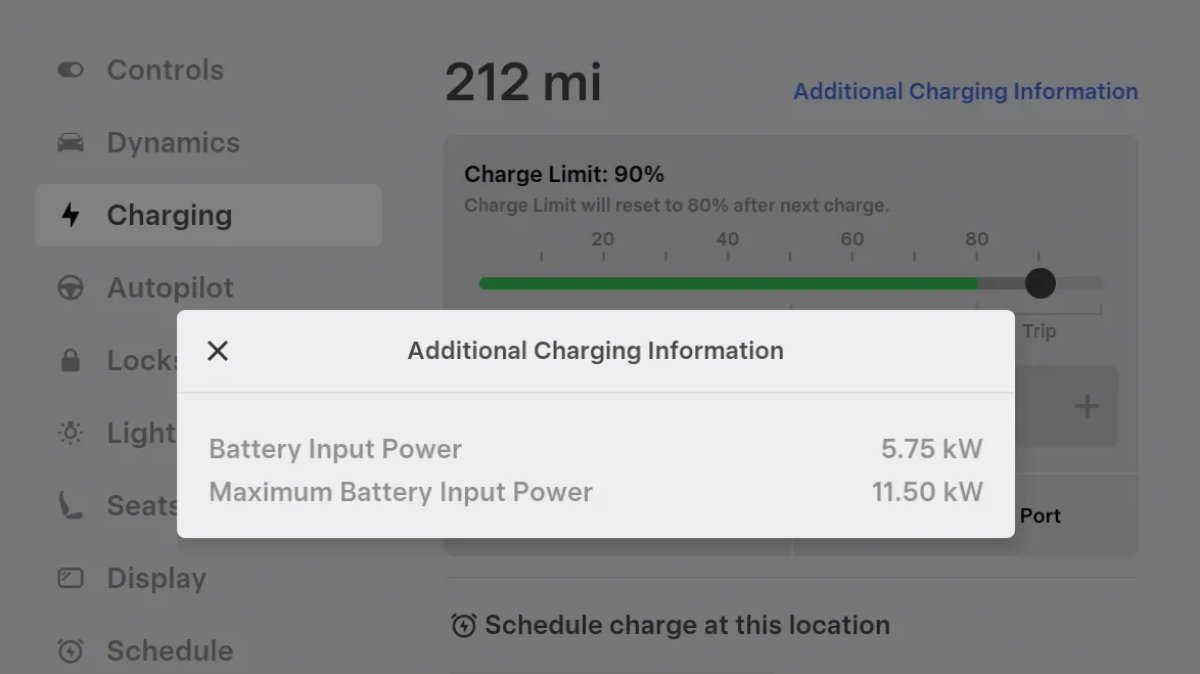
During charging, a link appeared in the Controls → Charging section with the current and maximum power coming to the battery. Values may vary due to the charge level and direct power to the climate system, screen and other consumers from the charger.
Region and availability
Worldwide
Charger Visualization
Tracker observation
Models
Model S, Model 3, Model X, Model Y, Cybertruck
Hardware
Not documented.
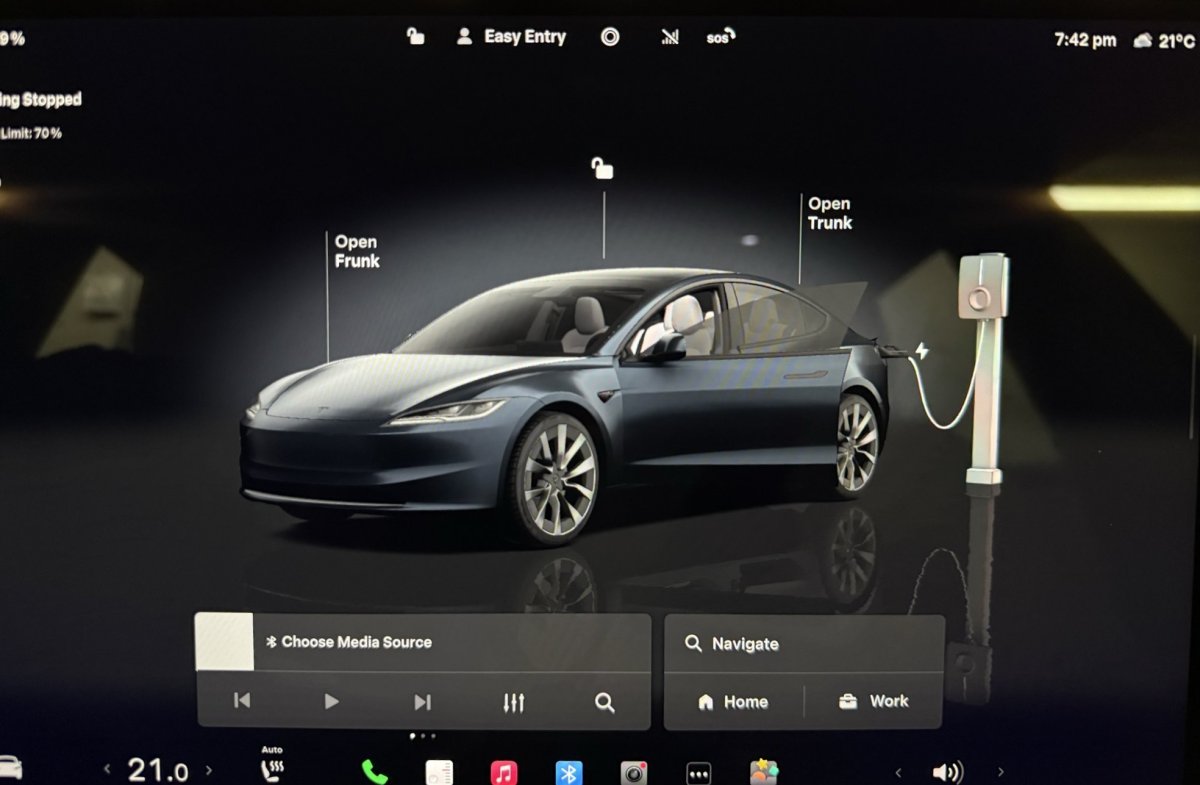
When a parked car is connected to power, the charger is displayed on the screen. A general image is used for a third-party station; the display of specific Tesla devices is not confirmed by the source.
Region and availability
Worldwide
Last checked
Checked 11 October 2026. TeslaFi figures are a stored tracker sample, not a measure of the entire fleet. Confirm availability in your vehicle’s own release notes.